INSTALLATION & OPERATION MANUAL
MULTI-FLAVOR MERCHANDISERS
14
5.7 Configure Flavors
The "Configure Flavors" menu is used to change flavor types and perform flow rate calibrations for flavor syrups. This
menu is only available to service technicians. Once selected, there are two tabs that can be accessed: "Flavor Types"
and "Calibrate Flavors." Whereas the "Flavor Types" option is not required to be set up for operation of the dispenser, the
"Calibrate Flavors" option must be completed as part of the initial set-up.
Flavor Types
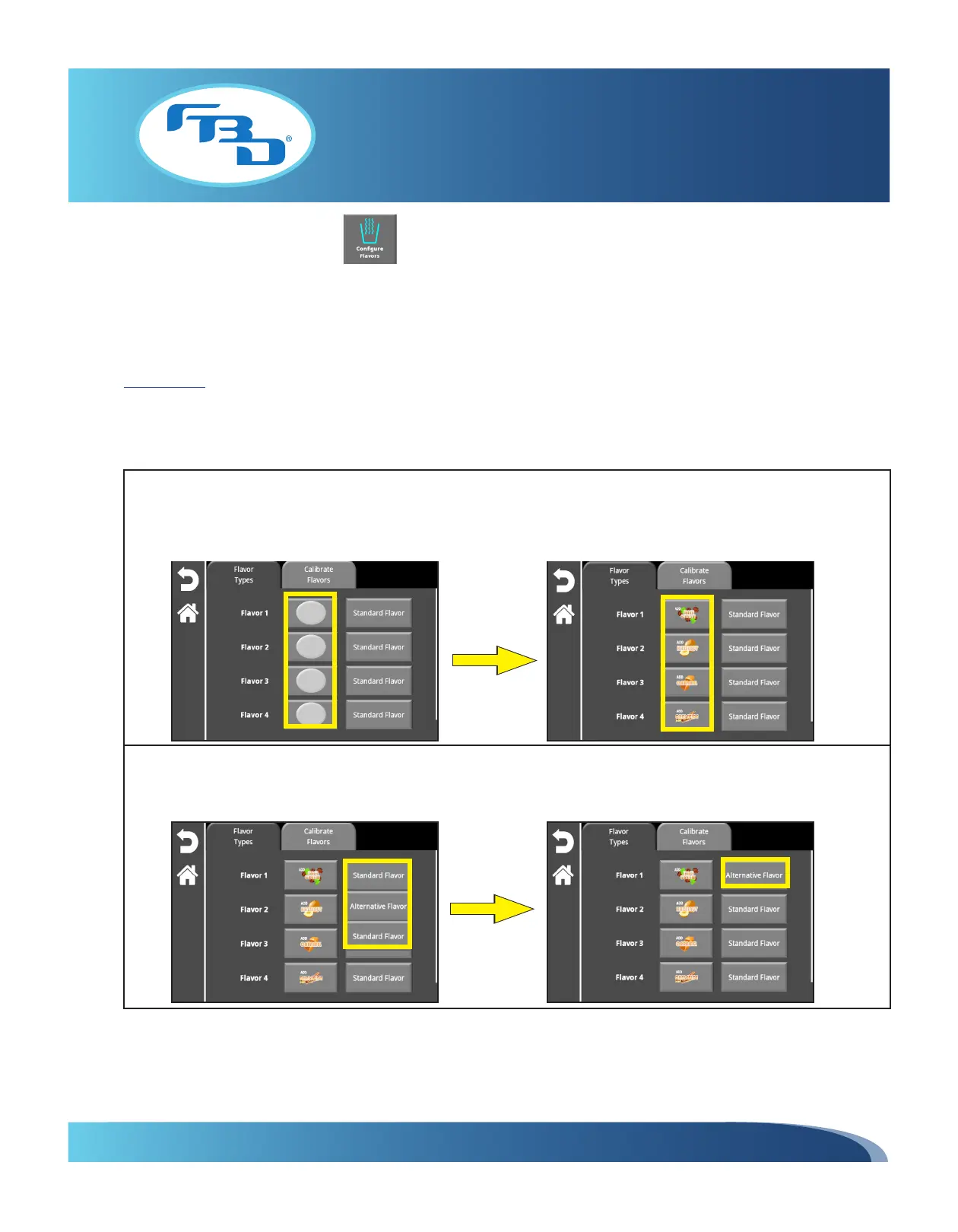
This menu allows you to specify the type of flavor for each of the flavor add-ins. The default type is "Standard" and if a
flavor needs to be locked from dispensing on the main screen, then it will need to be changed to "Alternative." Please refer
to Section 5.6 for information on how to lock alternative flavors.
If the flavor images have not been set, the screen will show the blank buttons for each of the flavors. Tapping the blank
flavor button will call up the "Change Graphics" menu option (Section 5.2) and allow you to change the flavor images.
Once images are selected, press the back button to return to the "Flavor Types" screen and the updated flavor images
will be shown.
If any of the flavors needs to be changed from "Standard Flavor" to "Alternative Flavor" select the "Standard Flavor"
button for the flavor being changed. A drop-down menu will appear that allows the user to switch between standard and
alternative flavors. Select the desired flavor type. Repeat as needed for each of the flavors.



 To Next Page