INSTALLATION & OPERATION MANUAL
MULTI-FLAVOR MERCHANDISERS
25
5.9 Dispense Data
This menu provides data on dispensed drinks. The data is listed by time frame and graphed to show the number of
dispensed drinks by flavor add-in combination. This menu is only available to service technicians and will only be visible
if the "Dispense Data Logging" option is enabled in the "Settings" menu under the "Miscellaneous Settings" tab (refer to
Section 5.8). Once enabled, the door will begin recording dispense data and will save a log to the MicroSD card in the
door which can be transferred to a USB (refer to Section 5.10 under the "System" category for more information). Once
selected, there are two tabs that can be accessed: "Summary" and "Drink Combinations."
Summary
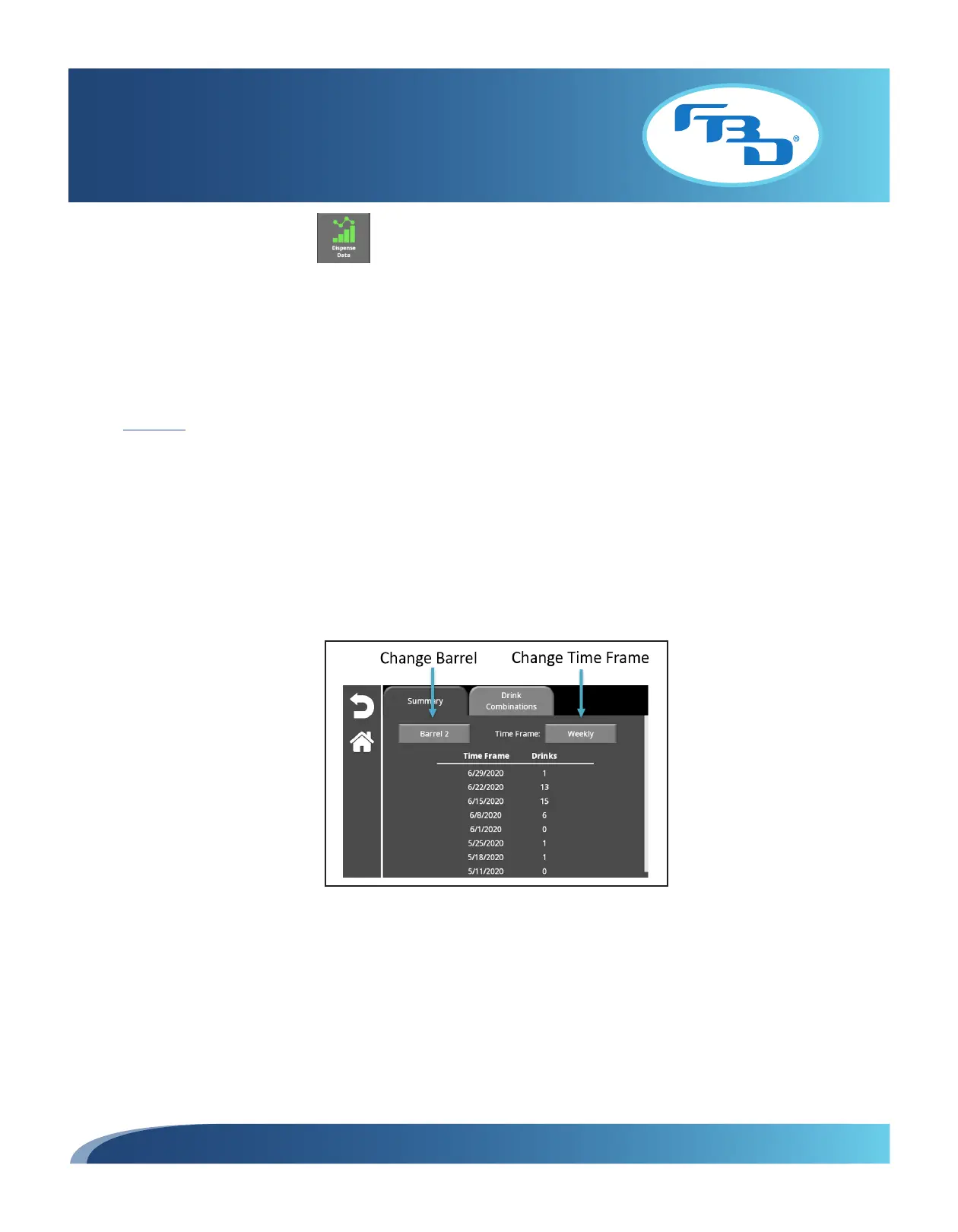
The "Summary" tab will display dispensed drinks for a specific barrel and a time frame. The barrel number will automatically
appear on 372MFLV and 771MLFV dispensers since there is only one multi-flavor barrel that would log dispense data. On
the 372MFLV it will appear as "Barrel 2" and on a 771MFLV it will appear as "Barrel 1." For 772MFLV dispensers, the
barrel button can be selected to change between "Barrel 1" and "Barrel 2" to show the number of dispensed drinks for
each.
The time frame shown in this log can be changed by selecting the time frame button and choosing from the drop-down
menu one of the following options: Daily, Weekly, Monthly, or Yearly.



 To Next Page