INSTALLATION & OPERATION MANUAL
MULTI-FLAVOR MERCHANDISERS
17
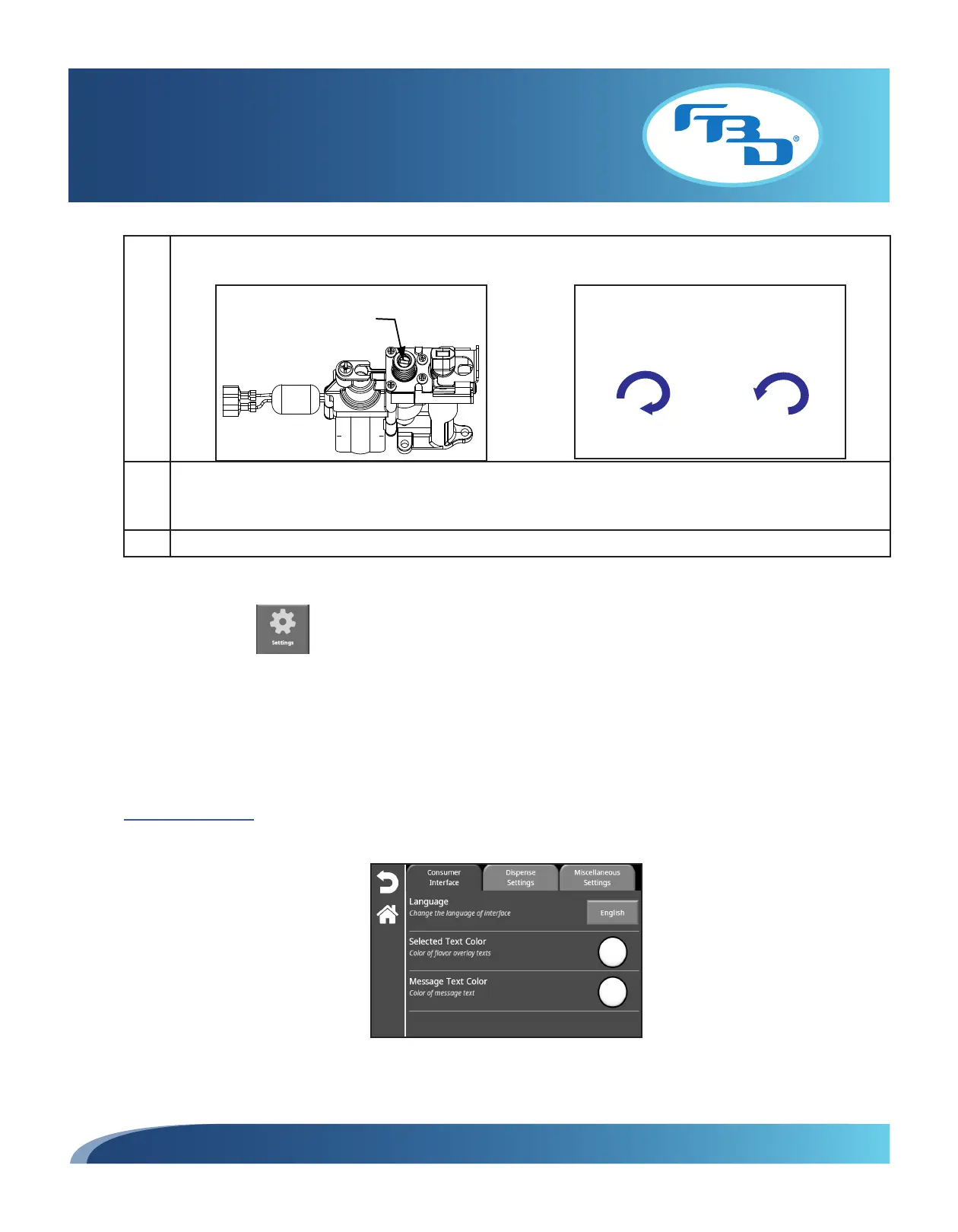
5 Adjust the flow rate on the flavor module using a flathead screwdriver. Turn clockwise to increase the flow and
counterclockwise to decrease the flow.
Turning Clockwise
Increases Flow Rate
+
–
Turning Counterclockwise
Decreases Flow Rate
Flow Rate Adjustment
6 Once the flavor module has been adjusted, press the "Start" button to dispense a sample. Continue adjusting the
flavor module manually and dispensing a sample until the amount of the product dispensed matches the "Sample
Size" from Step 1.
7 Repeat the calibration process for each flavor.
5.8 Settings
The "Settings" menu allows the user to make changes to the graphical user interface, flavor dispense settings, and other
miscellaneous settings. This menu is only available for service technicians. All these settings should be preloaded and can
be updated manually through this menu or via USB (refer to Section 5.10 under the "Settings" category for information on
loading settings to USB or from USB). Once selected, there are three tabs that can be accessed: "Consumer Interface",
"Dispense Settings", and "Miscellaneous Settings."
Consumer Interface
The "Consumer Interface" tab provides language options as well as text color for flavor overlays and messages.



 To Next Page