INSTALLATION & OPERATION MANUAL
MULTI-FLAVOR MERCHANDISERS
18
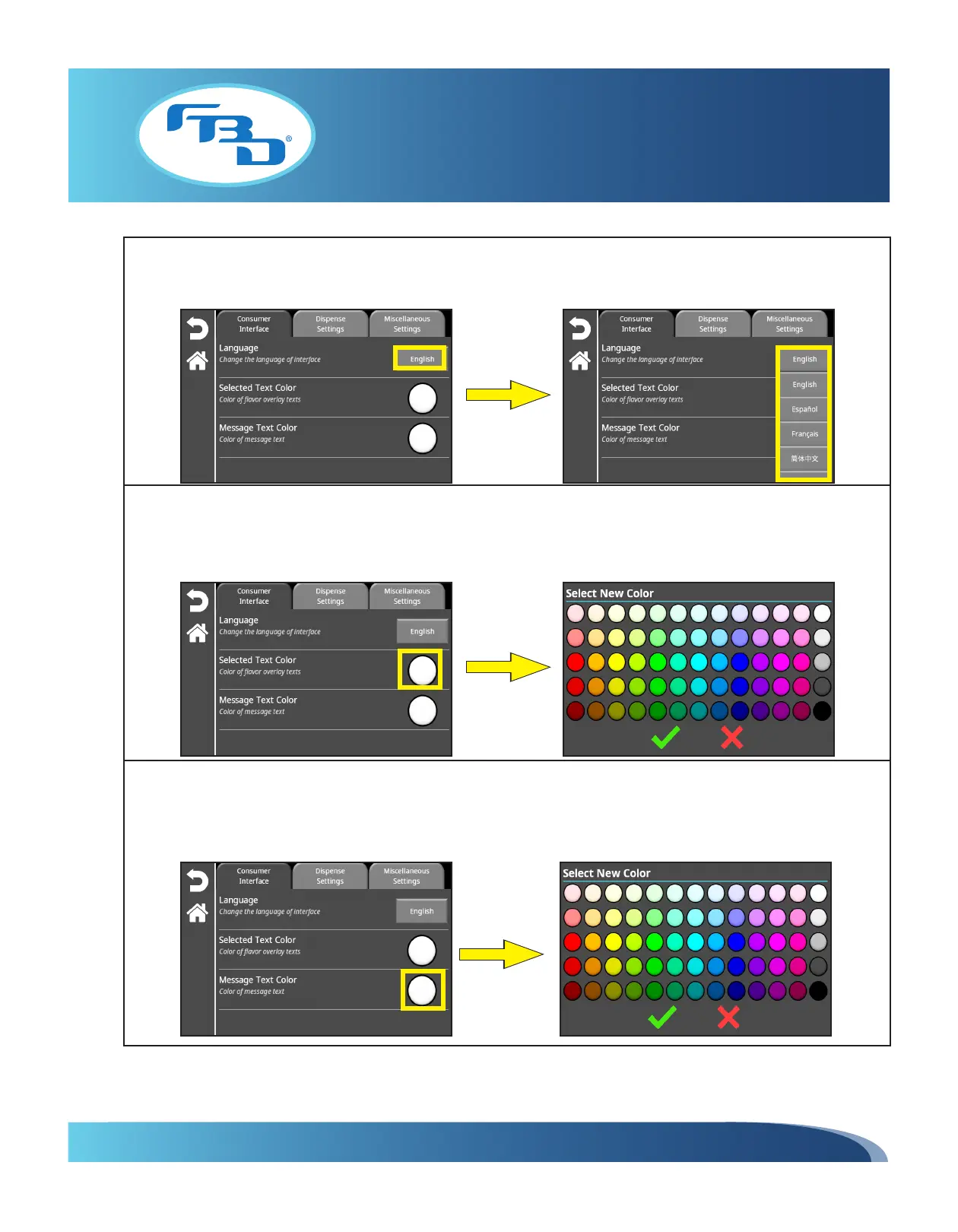
To change the language, select the "English" button to display a drop-down menu of all supported languages. Once the
language is selected, all menu options and main screen messages (flavor and barrel status) will change to the selected
language.
To change the text color of the flavor messages (the message that appears as an overlay on the flavor button in the
main screen) select the round button to the right of the "Selected Text Color" option. A color selection pop-up window
will appear; once a color is selected, press the green check mark to confirm the selection. The round button on the
"Selected Text Color" option will change to the selected color.
To change the text color of the barrel status messages on the main screen, select the round button to the right of the
"Message Text Color" option. A color selection pop-up window will appear; once a color is selected, press the green
check mark to confirm the selection. The round button on the "Message Text Color" option will change to the selected
color.



 To Next Page