FCI WATERMAKERS, INC. 73Operational Instructions
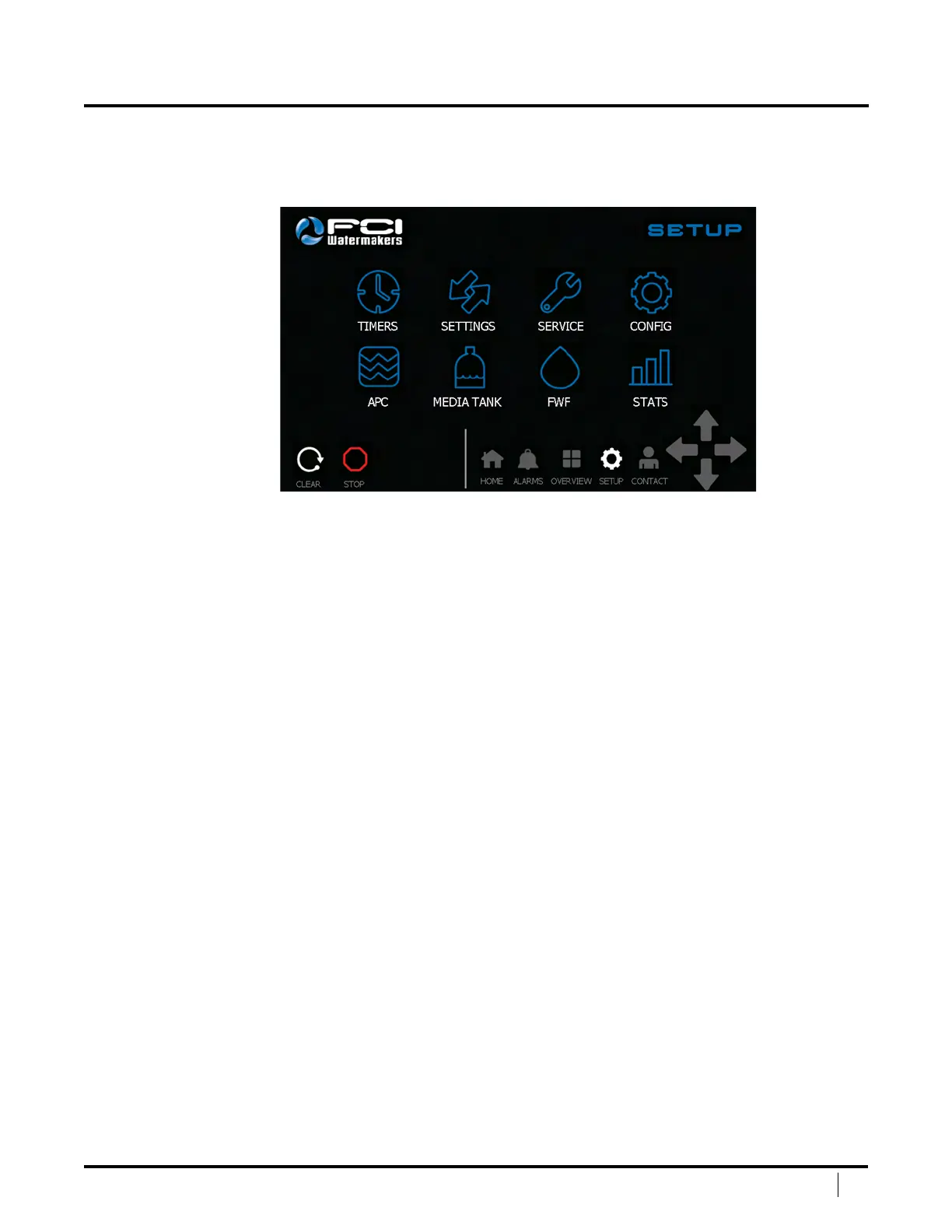
SETUP SCREEN
e Setup Screen will show you all the areas in which you
can adjust settings or see statistics of your system.
Timers – Press the image to take you to the system timers.
Settings – Press the image to take you to the system settings.
Service – Press the image to take you to the system service mode.
Cong – Press the image to take you to the system congurations.
APC – Press the image to take you to the system Automatic Pressure Control.
Media Tank – Press the image to take you to the media tank mode.
FWF – Press the image to take you to the Fresh Water Flush Interval settings.
Stats – Press the image to take you to the system statistics.
Clear – Press this button to clear the system once a shutdown has taken place.
Stop – Press this button to stop the system.
Navigation Bar – is allows the user to easily navigate between main screens.
DISPLAY SCREENS (continued)


 To Next Page