CHAPTER 5
TWIN ROTOR MIMO SYSTEM
Commissioning and Test Software Installation and Commissioning
33-007-05-2
Click
OK.
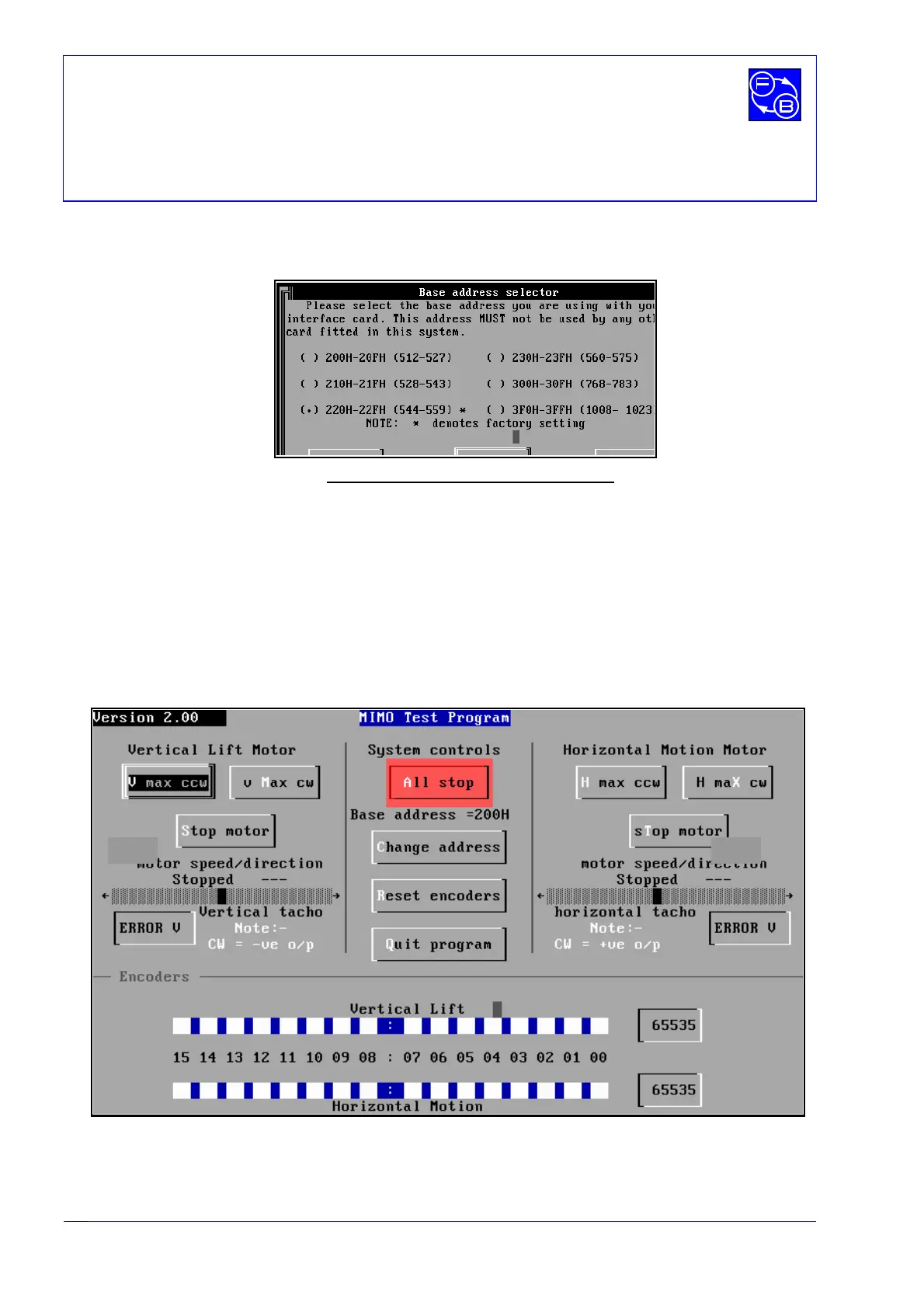
The following screen appears,
only if the card is not found at the factory
default Base address of 544.
Fig. 5.2: PCL-812 Base address Selection
Use the mouse to select the base address of the PCL-812 interface card which has been
set and checked in accordance with the procedure detailed in Chapter 3 of this manual.
If you do not know the Base Address, clicking on
Locate
will identify and set it
automatically. ( Note that
Locate
can only be used if there is only
one
PCL-812 board
installed in your PC ).
Having selected the correct base Address, click on
Close
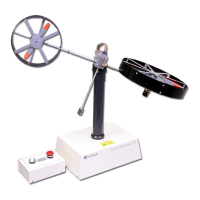
. The screen shown below
appears.
Fig. 5.3: Main screen of MIMO Commissioning and Test Software
.
2.6 1.8


 To Next Page