Operation
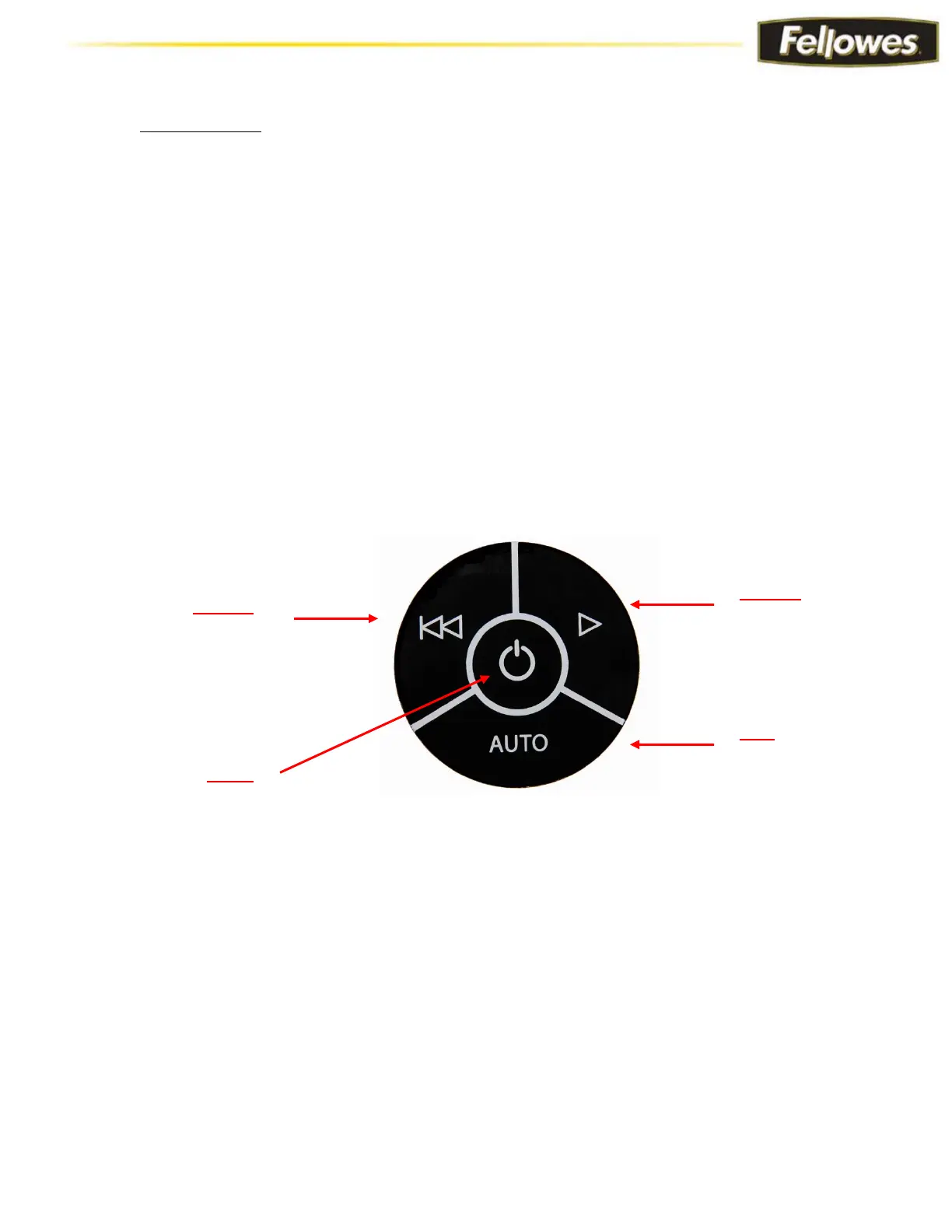
The control panel on the housing top consists of the control panel switch, indicator LEDs,
and sheet capacity LEDs.
Power Turns on the shredder and illuminates the power LED.
Forward Runs the shredder in forward mode. Press and hold to activate.
Reverse Runs the shredder in reverse mode. Press and hold to activate.
AUTO Runs the shredder in automatic-start mode and illuminates the Auto LED below the Sheet Capacity
LEDS on the housing top.
Control Panel Touchpad





 To Next Page