5
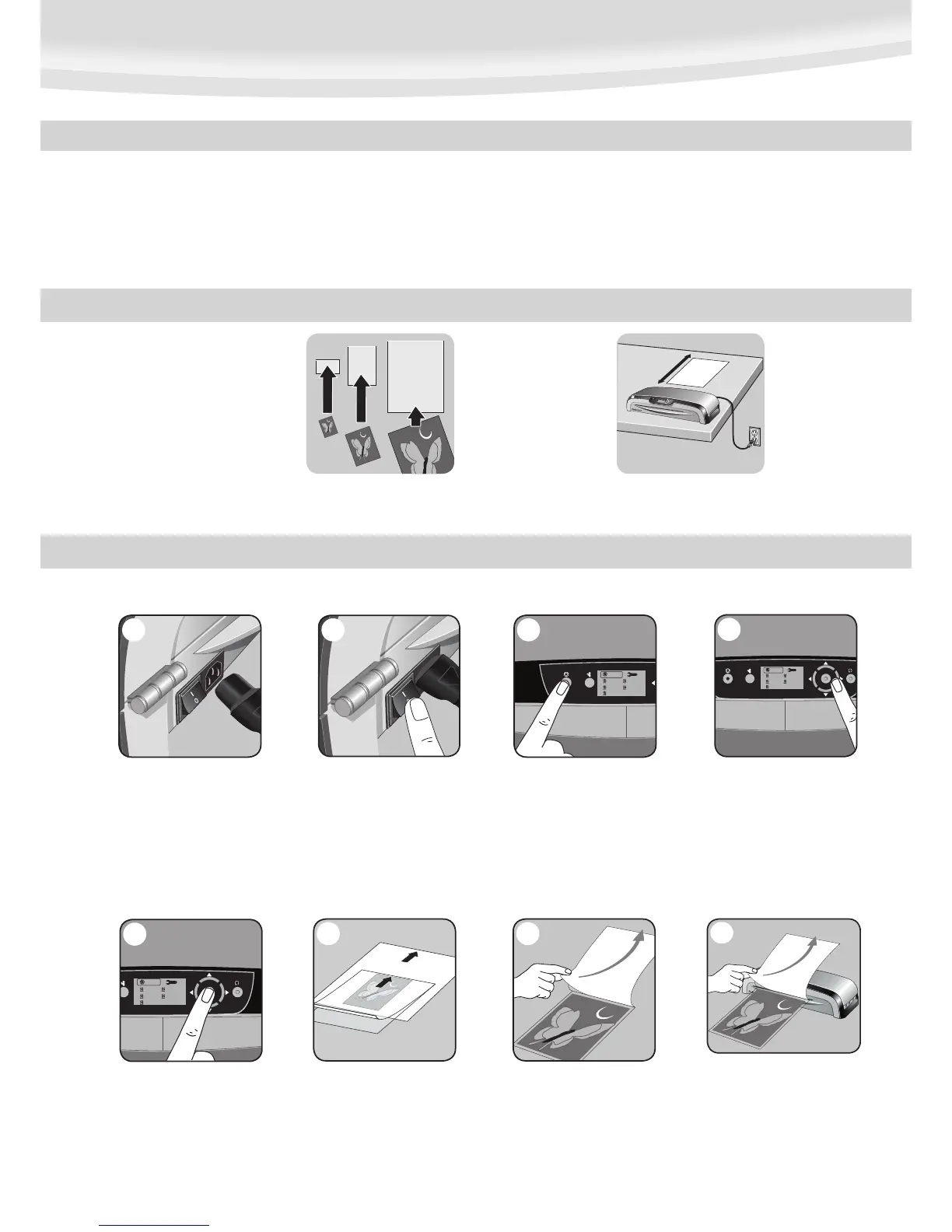
5. Confirm your selection by
pressing “Enter” button in the
middle of navigation keys.
Laminator will take a few minutes
for temperature adjustment.
COLD LAMINATION STEPS
Position laminator so you
have enough space to allow
items to pass freely through
the machine.
For best results use
Fellowes® brand pouches
(Enhance80 – Preserve250).
Select correct pouch size for
laminated item.
3
BEFORE YOU LAMINATE
CAUTION: Only use self-adhesive pouches when laminating with a cold setting.
• Always put item in a pouch. Never laminate an empty pouch.
• Trim excess pouch material from around your item after laminating and cooling.
• Clean laminator rollers with Fellowes roller wipes (item #5703701) after
15-20 applications to guarantee optimum laminating results as explained under
“maintenance”.
TIPS
• Do not laminate heat-sensitive documents (i.e., tickets, ultrasounds, etc.).
• Use a dry-erase marker for writing on laminated pouches.
1. Please connect the laminator
to the socket using the separate
power cable supplied.
1
2. Switch laminator on with
Power On / Off button at back
of machine.
2
3. Press Stand-by button at left
of front operating panel to switch
laminator on.
4
6. Centre item on clear side against
sealed edge; documents cannot be
repositioned once laminated.
6
7. Peel a small part of the protective
sheet away from document.
7
8
8. Place pouch, sealed edge first,
into laminator entry. Keep pouch
straight and use the edge guide
to centre it. Continue peeling the
protective sheet away.







 To Next Page