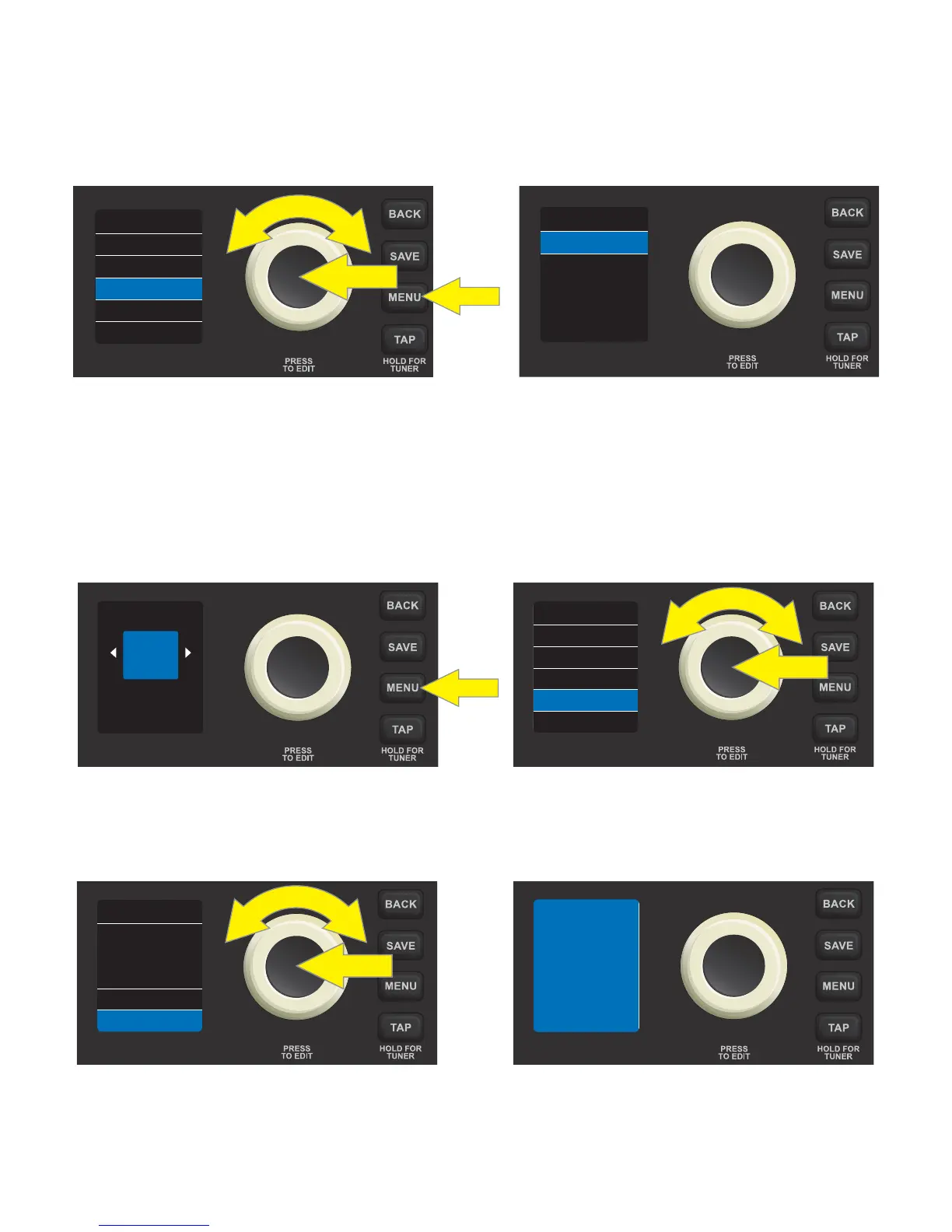
MENU FUNCTION: SETTINGS
The third MENU function—SETTINGS—displays the current rmware version and features a gain control for
use when recording using the USB port on the control panel. To access these options, press the MENU util-
ity button and use the ENCODER to scroll to and select SETTINGS. The USB gain control appears at top (see
instructions under “USB PORT”, page 18), with the rmware version below (“VERSION”):
Be sure to check fender.com/rmware/support regularly for rmware updates that improve and enhance the
Rumble LT25 experience.
MENU FUNCTION: RESTORE
The fourth MENU function—RESTORE—enables restoration of all original factory presets and amplier set-
tings. To do this, press the MENU utility button, then use the ENCODER to scroll to and select RESTORE:
To initiate restoration use the ENCODER to scroll to and select “YES RESTORE”. To cancel restoration, press the
ENCODER on “NO CANCEL”, or press the BACK utility button. While restoration is in progress, a blue waiting
screen will briey appear. When restoration is complete, the user is returned to the rst preset screen:
17
+6.0USB GAIN
VERSION
0.3.8
SETTINGS
FOOTSWITCH
TUNER
RESTORE
SETTINGS
MENU
07
ORGAN
TONE
FOOTSWITCH
TUNER
RESTORE
SETTINGS
MENU
FACTORY
RESTORE?
YES RESTORE
NO CANCEL
RESTORE
RESTORING
FACTORY
SETTINGS
PLEASE WAIT...













 To Next Page