DUOX PLUS IP CAMERA INTERFACE 9
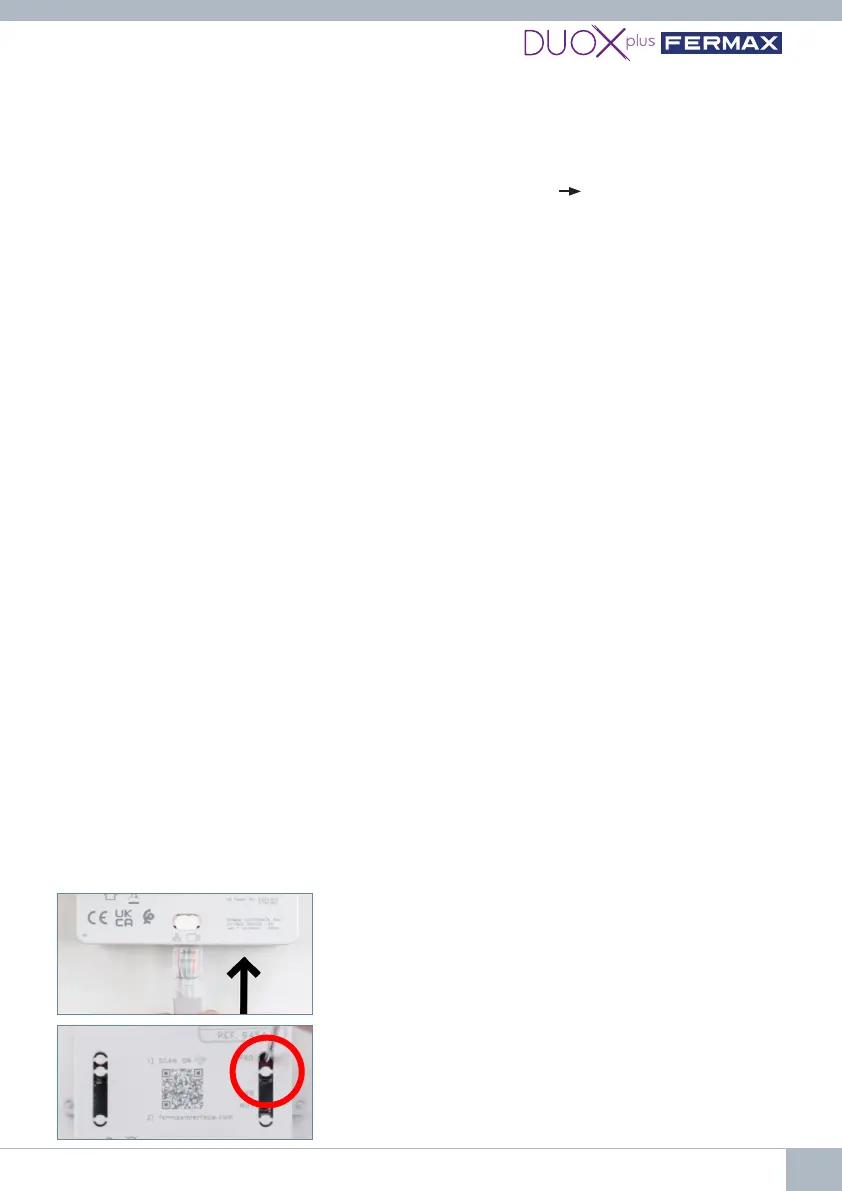
3rd Press the programming button for 2 seconds to
activate the web server. The white WiFi LED on the
monitor will start blinking.
Yes,yourPCmustbeconguredwithintheIPrangeof
theInterface(192.168.1.xx):
1st Connect the DUOX PLUS bus (24Vdc) to the
Interface. The red PWR LED will start blinking every
second.
2nd Connect the RJ-45 Ethernet cable directly from
the PC to the Interface or via switch.
5.2 How do I know that my camera settings are correct?
1. Connect the IP camera to a POE switch or power it with an external power supply
2.ConnectthePCtothesameswitch(thePCmustbeconguredwithintheIPrangeof
the Interface (192.168.1.xx).
3. Open the VLC Media Player application and under Media Open Network Location.
4. Write the RTSP URL of the camera example
rtsp://admin:fermax123@192.168.1.205:554
and check that the camera is displayed correctly. This allows you to conrm correct
functioning and that the RTSP URL address is correct.
5.3 How can I reset the Interface to factory settings if I don't remember the
password or IP I have entered?
Press PRG for 10 seconds until the red LED blinks rapidly several times.
Thedefaultsettingsare:
• IPAddress:192.168.1.100
• Mask: 255.255.255.0
• User: admin(cannotbemodied)
• Nopassword.Thersttimeyoulogin,youwillbeaskedtocreateanewone.
5.4 I am connected by cable but cannot access the Interface web server.
Always remember to press PRG for 2 seconds to activate the web server. The white WiFi
LEDwillstartblinkingindicatingthatyoumayaccesstheWiFiconguration.
5.5 What format should the password I enter into the Interface be in?
The password must have at least 8 digits and include uppercase letters, lowercase letters,
numbers and symbols.
5.6 What happens if I enter the wrong password into the Interface?
It will block access for 5 minutes after 3 unsuccessful attempts.
5.7 How can I exit the web server or conguration?
Access will be disabled after 5 minutes without any device connecting or 20 minutes after
the last activity. It shall also be possible to press the programming button for 2 seconds to
disable it manually.
5.8 Can I congure the Interface via my PC?















 To Next Page