DUOX PLUS IP CAMERA INTERFACE 5
4. INSTALLATION AND COMMISSIONING
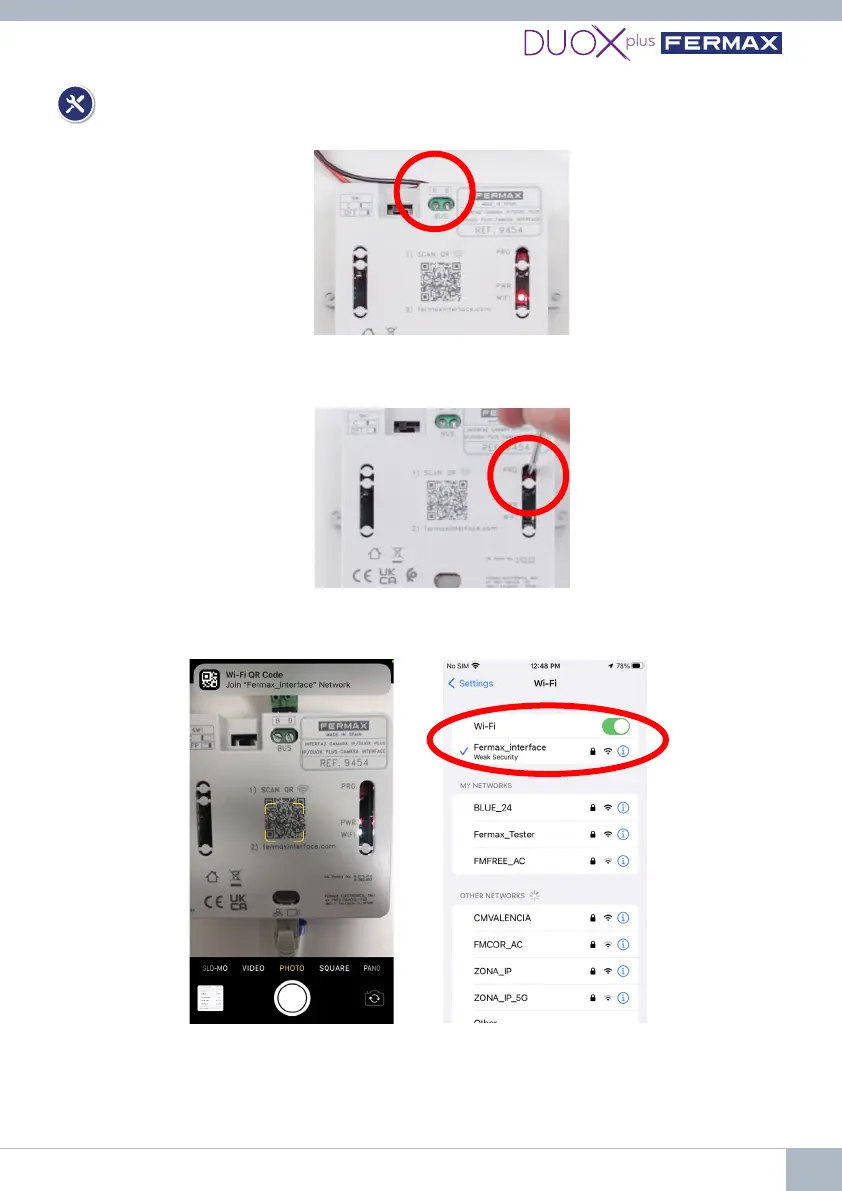
1st Connect the DUOX PLUS bus (24Vdc) to the Interface.
2nd Press the programming button for 2 seconds to activate the web server. The white
WiFi LED on the monitor will start blinking.
3rd Read the QR from the mobile telephone and connect to the WiFi generated by the
Interface (Fermax_interface).
*If you cannot connect via the QR code, select the WiFi network Fermax_interface
and enter the password FermaxInterface.















 To Next Page