10 DUOX PLUS IP CAMERA INTERFACE
Close-up of auto switch-on operation
Panel or Camera
Identier
Panel 0 or Camera 0 of the Monitor block
1
5.11 How does the DUOX PLUS auto switch-on work with the Interface installed?
5.9 Can I activate an auxiliary device when viewing a particular camera,
instead of releasing the door via a panel?
Yes, it is possible by means of the advanced relay (ref. 3267), as this can be programmed
withthepanelandblocknumberofyourchoice.Thestepswouldbetocongureoneof
the panels as a General Entrance or block and indicate the corresponding panel number
and then programme the relay with that address, then leave the panel as it should be and
so the monitors that automatically switch on that block will activate the relay.
5.10 How can I update the Interface rmware?
ToupdatethermwareoftheDuoxPlusIPcamerainterfacethroughthewebserveritis
necessarytouploadtheupdatelewiththefollowingnameandextension:
rmwareUpgrade.tar.bz2
Note: it is important not to change the le name.
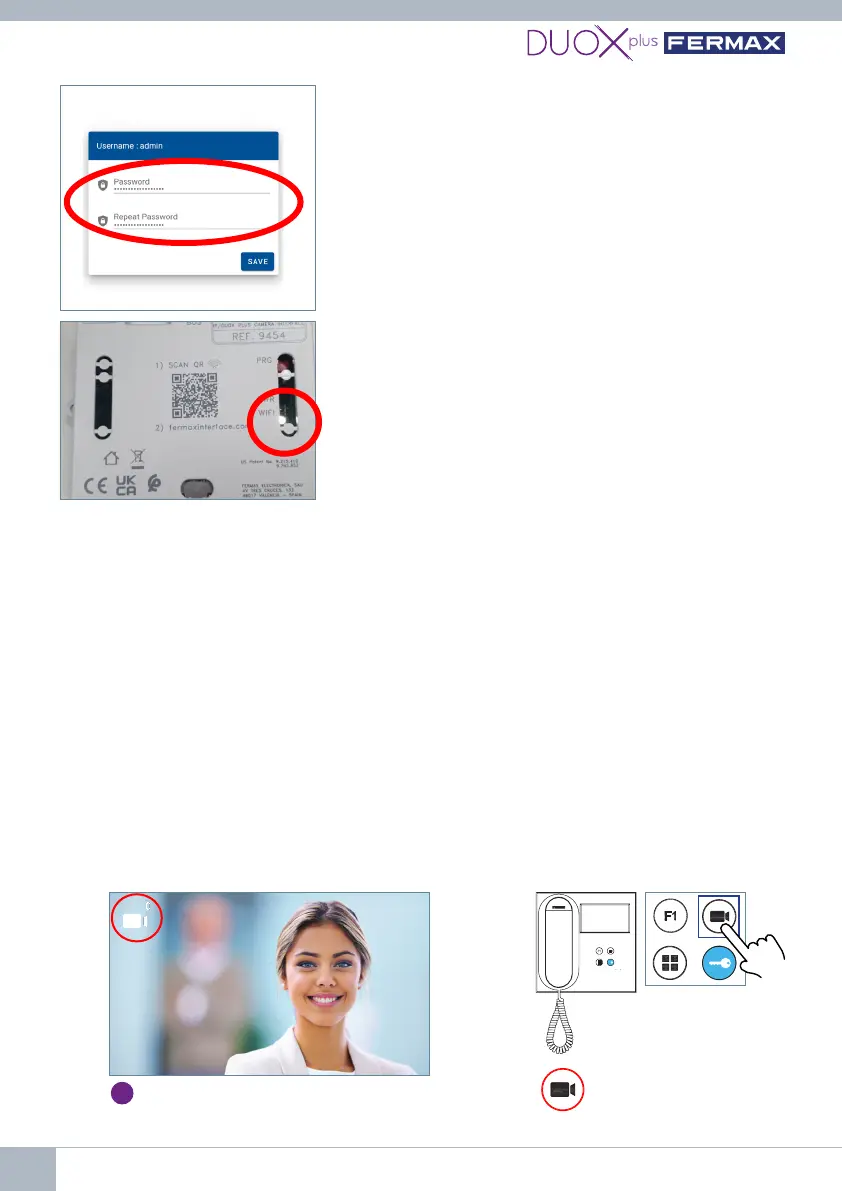
4th Open a browser.
• 1.GototheIPofthedefaultinterface:
192.168.1.100.
• 2. Enter/create password.
The white WiFi LED will stay on continuously when
connecting to the PC.















 To Next Page