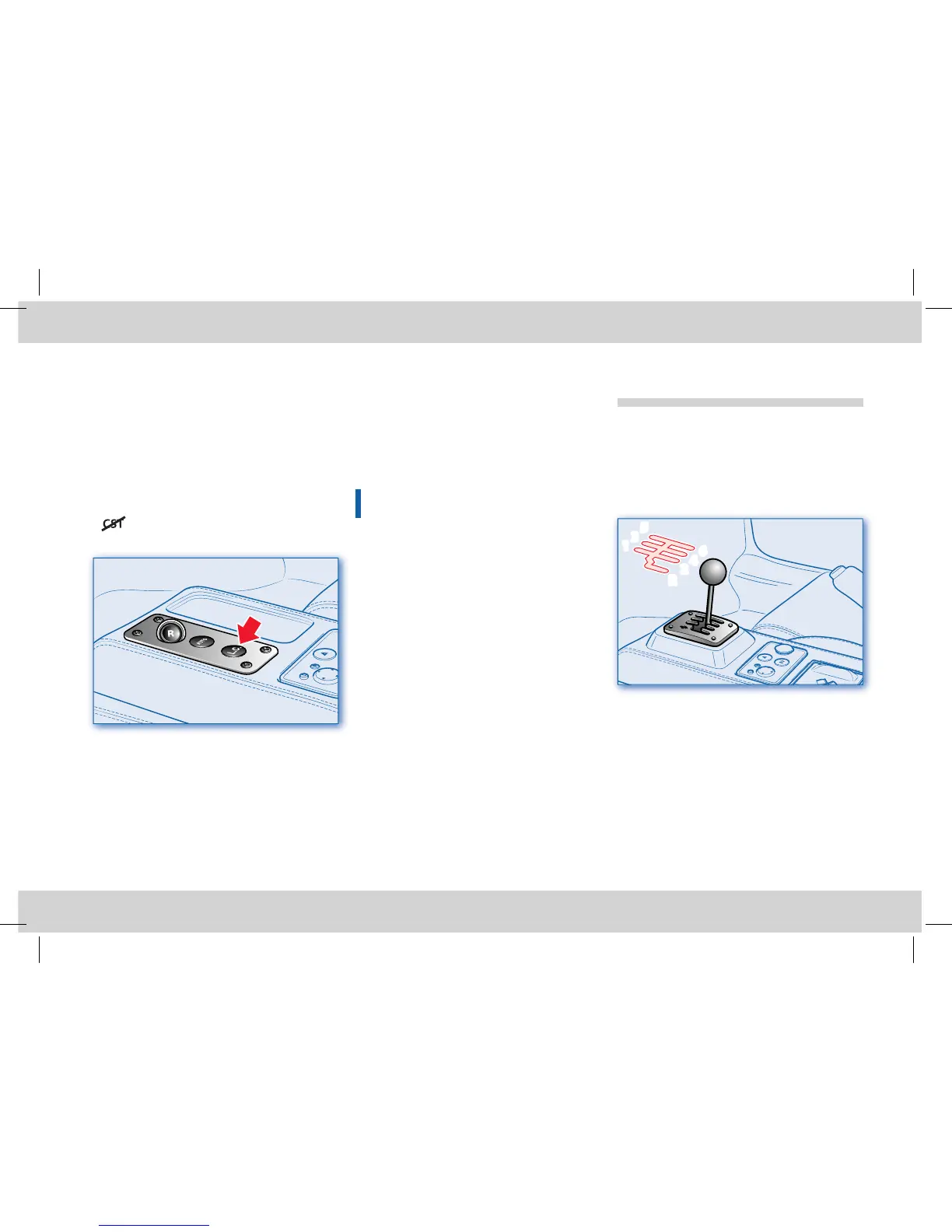
“Launch Control” strategy for performance
starting
With the aim of optimising standing
starts, in performance conditions, the F1
gearbox system F1 is equipped with a
“launch control” system, which is activated
when the following conditions occur
simultaneously:
- 1st gear engaged
- brake pedal pushed
- mode activated
- L.C. button pressed.
In these conditions, a L will ash on the
gear display. Accelerate holding the brake
pedal pushed down until the desired
engine speed for the standing start has
been reached (typically the maximum
torque speed). On releasing the brake
pedal, the best standing start performance
is achieved thanks to a clutch engagement
strategy optimised for that engine speed.
Starting and driving
the vehicle (Mechanical
gearbox)
Starting the engine
Before starting the engine, make sure that
the alarm system and all electrical devices
with high power absorption are turned off.
• Check that the handbrake is engaged.
• Put the gearshift lever into neutral.
• Fully depress the clutch pedal without
pushing the accelerator.
• Turn the key to position II: and wait for
the wording CHECK OK to appear on
the multi-function display.
• Press the ENGINE START button and
release it as soon as the engine starts. Do
not hold the ENGINE START button
pressed down for a long time.
Push start
In the event that the ignition system
malfunctions, you can “push start” the
vehicle as follows:
• Run the “system start-up” procedure (see
page 67);
• As the vehicle picks up speed, request an
UPshift with the gearshift in N.
This procedure should be avoided unless there
is an emergency situation!
Restarting the engine
In the event that the engine is turned off
accidentally, restart it using the relevant
button (see page 68) turning the key to 0
and then to II (On): the engine will start
immediately.












 To Next Page