7
OPERATING THE DEVICE
#5: Operating the device
Waking up the device:
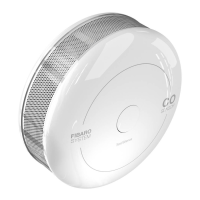
The CO Sensor needs to be woken up to receive information about
the new conguration from the Z-Wave controller, like parameters
and associations. To wake up the sensor manually click the button
located on the casing.
Menu allows to perform Z-Wave network actions. In order to use the
menu:
1. Press and hold the button for 3 seconds
2. You should hear a short signal while the LED diode blinks white.
3. Release the button.
4. Wait for the device to indicate desired menu position with a colour:
• White - conrm the start of the rmware update process
• Green - send the current state of CO Alarm
• Magenta - Z-Wave network's range test
• Yellow - the device reset
5. Press the button to conrm selection.
Resetting the device to factory defaults:
Reset procedure allows to restore the device back to its factory set-
tings, which means all information about the Z-Wave controller and
user conguration will be deleted.
1. Press and hold the button.
2. Release the button when LED indicator glows white and short
beep sounds.
3. Click the button when LED indicator glows yellow.
4. After few seconds the device will be reset (conrmed by red LED
indicator and long beep).
NOTE
Resetting the device is
not the recommended
way of removing the
device from the Z-Wave
network. Use the reset
procedure only if the
primary controller is
missing or inoperable.
Certain device removal
can be achieved by the
procedure of removing
described in "Adding/
removing the device"
on page 5.
Self-test:
1. Press and hold the button.
2. The LED indicator will glow white and you will hear a short beep.
3. Release the button when you hear the rst alarm sequence.
4. Move away from the device to protect your hearing.
If the self-test procedure does not result in emitting sound
and red light signal, replace the device.
!
NOTE
CO Sensor must be de-
tached from the wall
and battery level must
be greater than 30%
of its full capacity to
perform the rmware
update process.


 To Next Page