Generic ProtoNode Startup Guide Page 10 of 25
ProtoCessor 1991 Tarob Court Milpitas, California 95035 USA Web: www.protocessor.com
Tel: (408) 964 4444 Fax: (408) 262-2269 Toll Free: 888-509-1970 X141 email: support@protocessor.com
4 CONNECT THE PROTONODE’S WEB GUI TO SETUP IP ADDRESS FOR BACNET/I P OR
MODBUS TCP
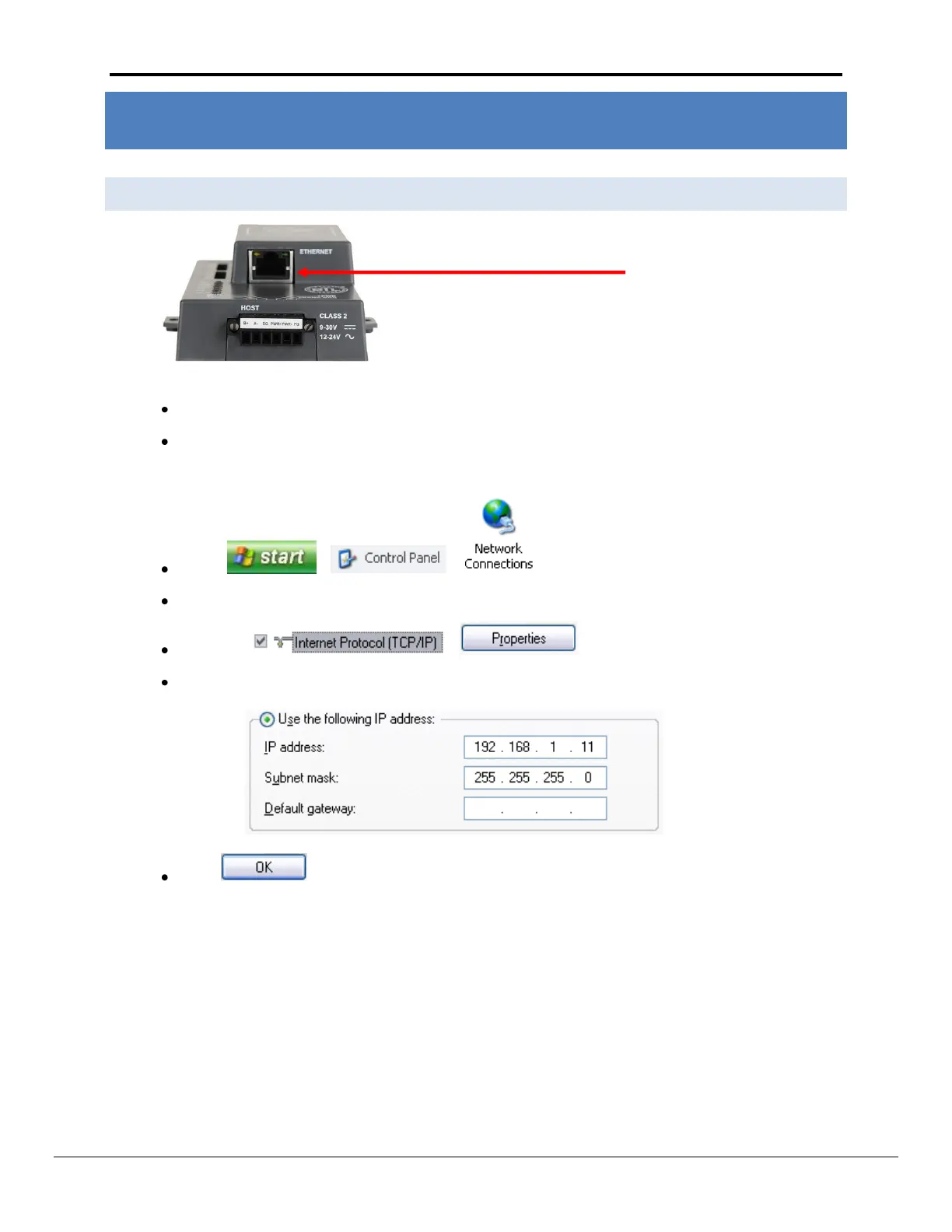
4.1 Connect the PC to the ProtoNode via the Ethernet port
Figure 7: Ethernet port location of ProtoNode
Connect a standard CAT5 Ethernet cable (straight through or cross) between the PC and ProtoNode
The Default IP Address of the ProtoNode is 192.168.1.24, Subnet Mask is 255.255.255.0. If the PC and
the ProtoNode are on different IP Networks, assign a static IP Address to the PC on the 192.168.1.xxx
network
Go to > >
Right-click on Local Area Connection > Properties
Highlight >
Select: Use the following IP address
Click twice



 To Next Page