Generic ProtoNode Startup Guide Page 14 of 25
ProtoCessor 1991 Tarob Court Milpitas, California 95035 USA Web: www.protocessor.com
Tel: (408) 964 4444 Fax: (408) 262-2269 Toll Free: 888-509-1970 X141 email: support@protocessor.com
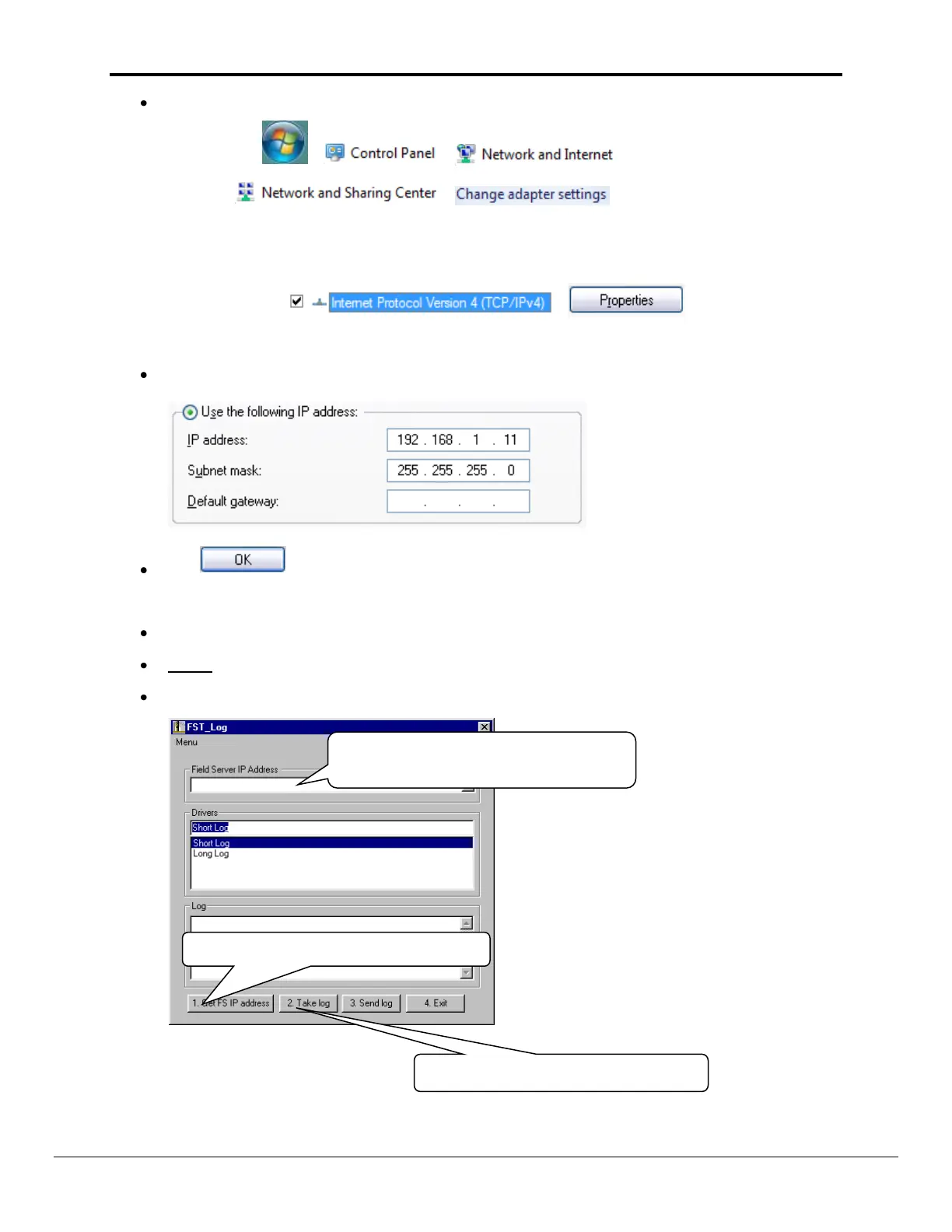
For Windows 7:
Go to > >
> >
Right-click on Local Area Connection > Properties
Highlight >
For Windows XP and Windows 7, select: Use the following IP address
Click twice
Double click on the FST Diag Utility.
Step 1: Select a Field Server IP Address.
The IP address can be entered manually or selected by clicking on button 1 using the Utility.
Type in the ProtoNode IP address
Default IP Address is 192.168.1.24
Press here to retrieve the IP address.
Locate where the log is saved on the
PC



 To Next Page