17
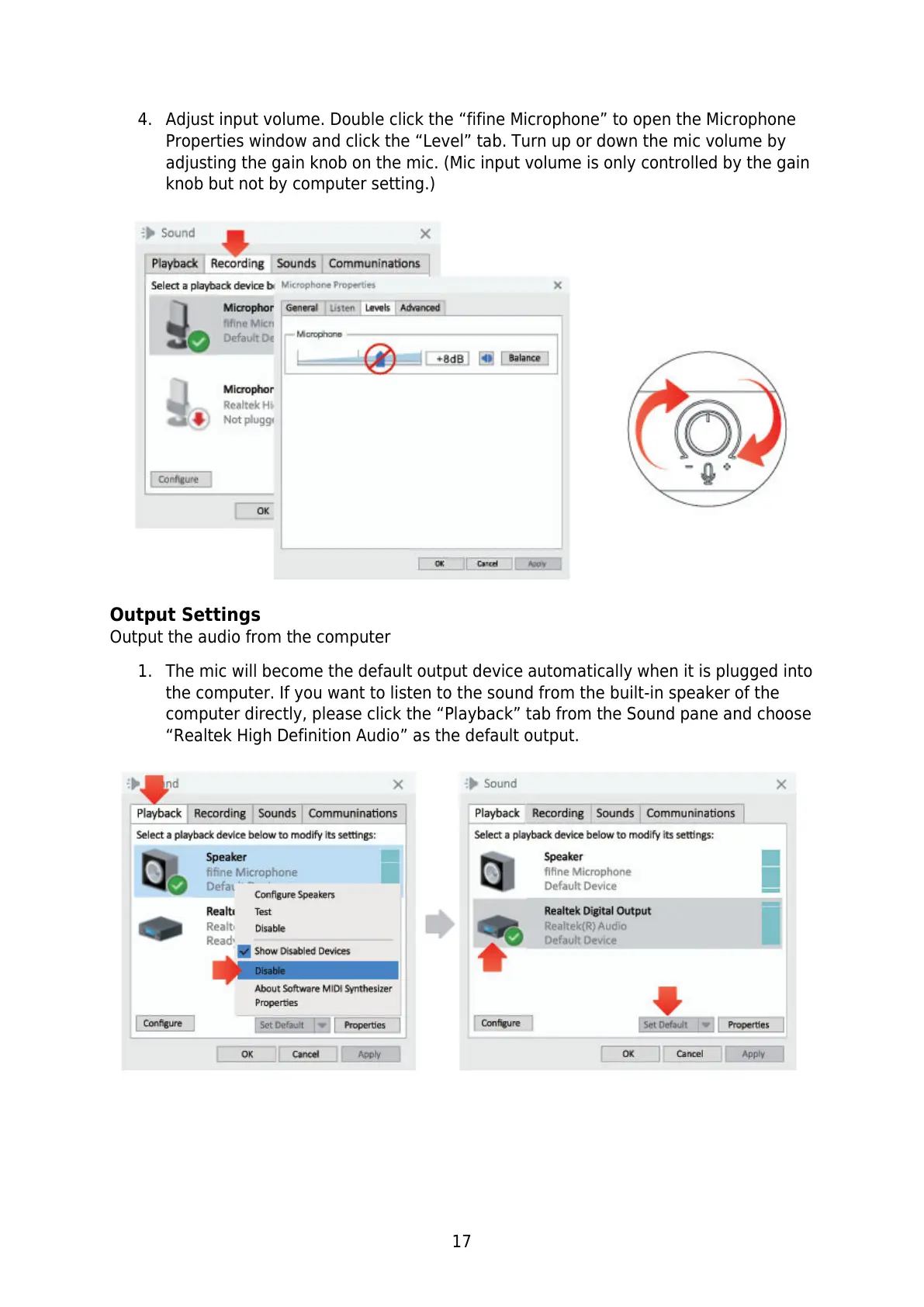
4. Adjust input volume. Double click the “fifine Microphone” to open the Microphone
Properties window and click the “Level” tab. Turn up or down the mic volume by
adjusting the gain knob on the mic. (Mic input volume is only controlled by the gain
knob but not by computer setting.)
Output Settings
Output the audio from the computer
1. The mic will become the default output device automatically when it is plugged into
the computer. If you want to listen to the sound from the built-in speaker of the
computer directly, please click the “Playback” tab from the Sound pane and choose
“Realtek High Definition Audio” as the default output.


 To Next Page