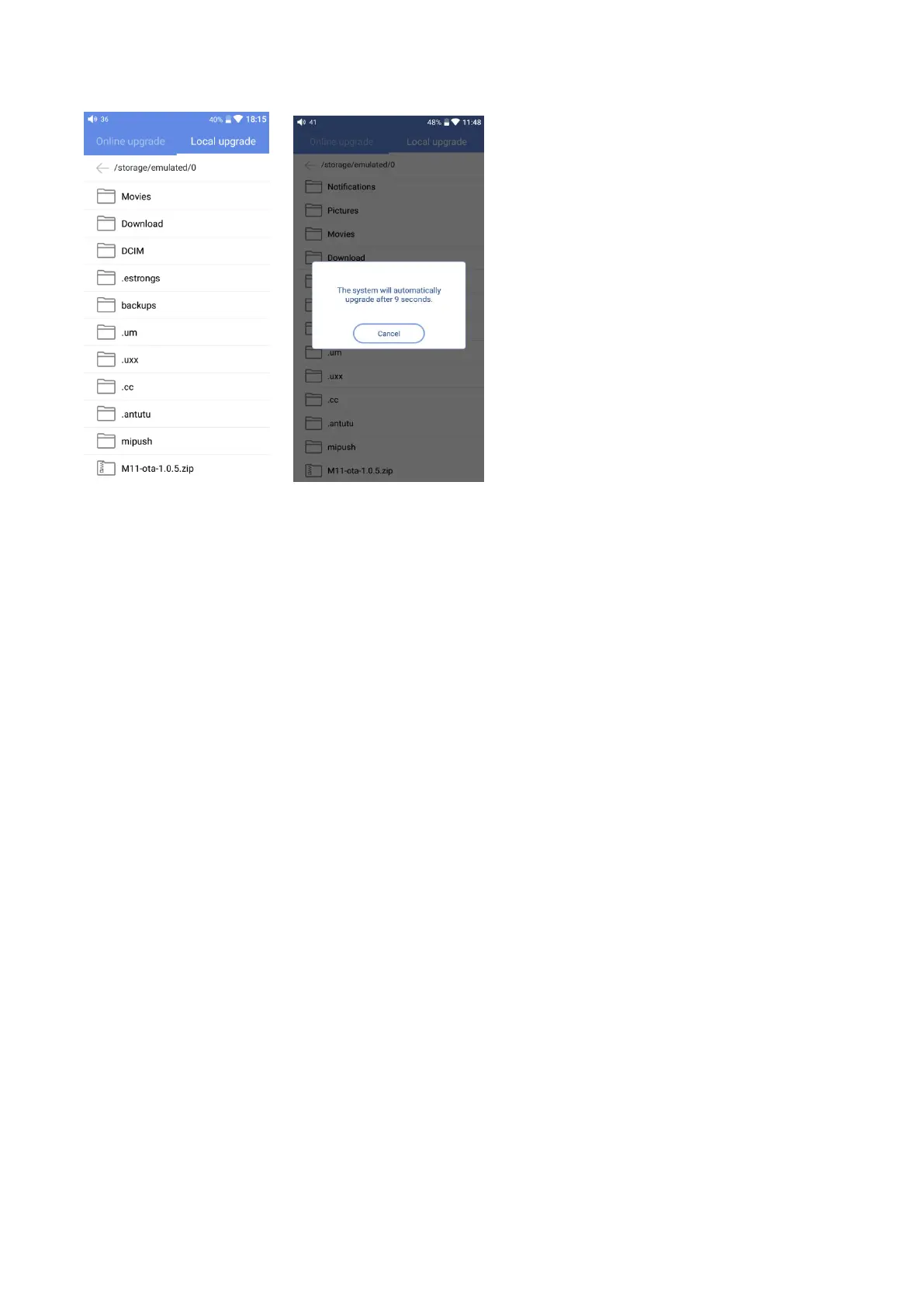
3) After pressing the firmware file, any operation is not permitted. Wait for a while and then the
M15 will start the firmware upgrade automatically.
4) Upon completion of firmware upgrade, the M15 will restart itself automatically. It can be used as
usual after restarting.
Notice:
1)Please ensure the battery power is sufficient before upgrading (at least up to 30%);
2)If it fails, please check if the correct upgrade firmware is used;
3)Do not manipulate the M15 during upgrade.
Screenshot
Swipe down the screen with three fingers to get a screenshot. Also, hold the Power and Previous
track button together can also get a screenshot.
Languages & input
The first time to start up the M15, you can choose an appropriate language from the notice.
Afterwards, you can go to the Settings menu to switch to other languages. Here are the instructions.
1)Click Settings->Languages & input-> Languages->Language preferences in sequence;
2)In the Language preferences interface, press Add a language;
3)Select a language;
4)After selecting the language, you should press the “=” icon on the right side of the target
language and drag the language to the head of the list so that it can be selected.



 To Next Page