EasyManua.ls Logo

Fiio M15 - Chapter 1 Introductions; Buttons and Ports

Fiio M15
32 pages
Print Icon
To Next Page IconTo Next Page
To Previous Page IconTo Previous Page
Loading...
1
Chapter 1 Introductions
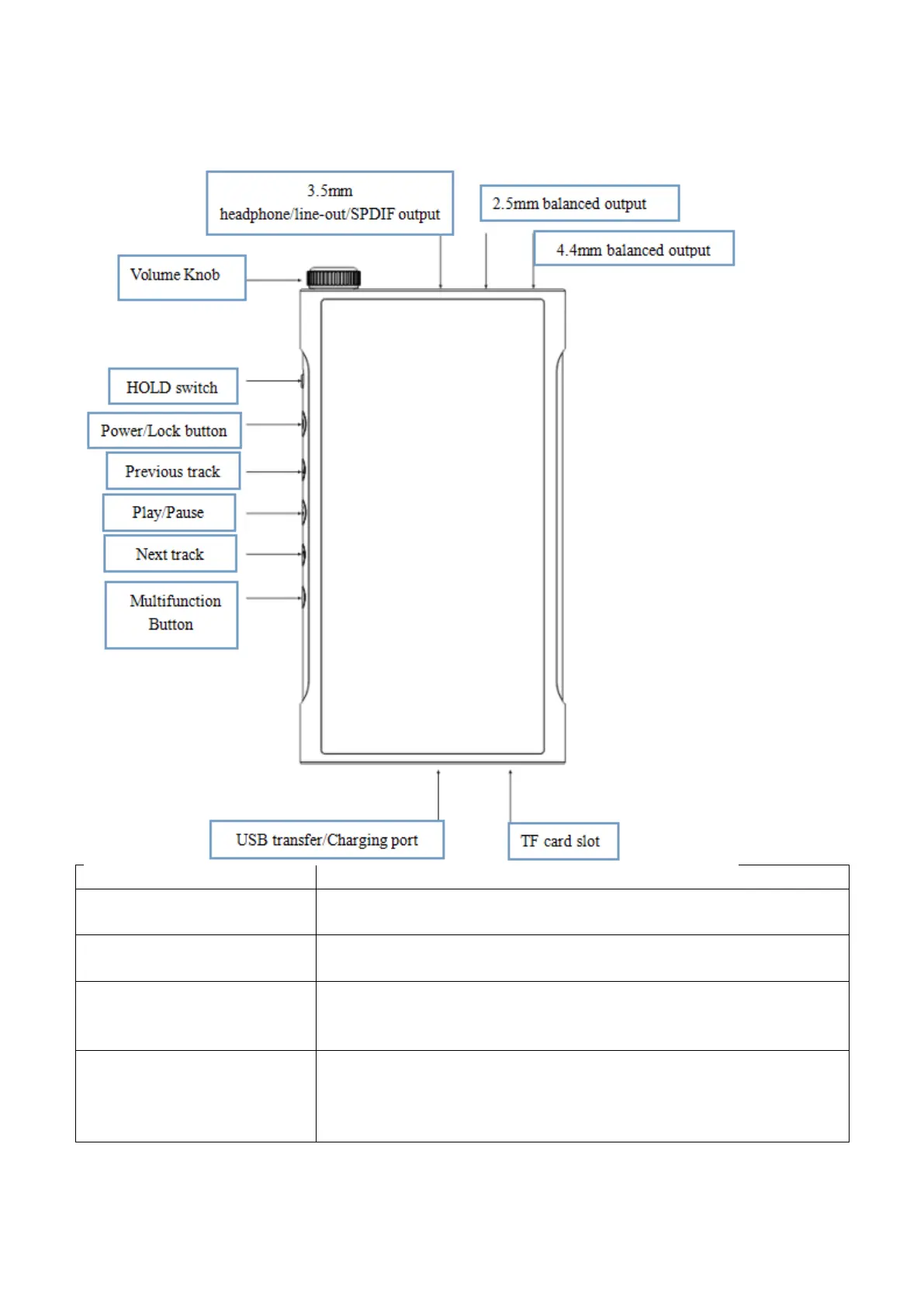
Buttons and ports
Buttons and ports
Operation Instructions
Volume knob
Adjust the volume: rotate clockwise to turn up the volume; rotate
anticlockwise to turn down the volume.
Indicator light
Display->Indicator Light Control: to choose the display mode
(Constantly on/Pulsing/Off) under working/charging status.
HOLD switch setting
When it is on, it can lock buttons so that the buttons do not work at
this time (In General->HOLD switch setting you can choose the
buttons you want to be available when the screen is off).
Power/Lock button
Boot: hold for 2s to turn it on;
Shutdown/Reboot: while it is on, hold to display shutdown/reboot
menu;
Force to reboot: long press the power and play button together for

Related product manuals