driver is required. After connecting the M15 to the computer, you can choose the corresponding
driver on FiiO Driver according to the computer system: Windows/MAC, following the instructions
to install it and then the storage function can be used.
Firmware upgrade
Online upgrade
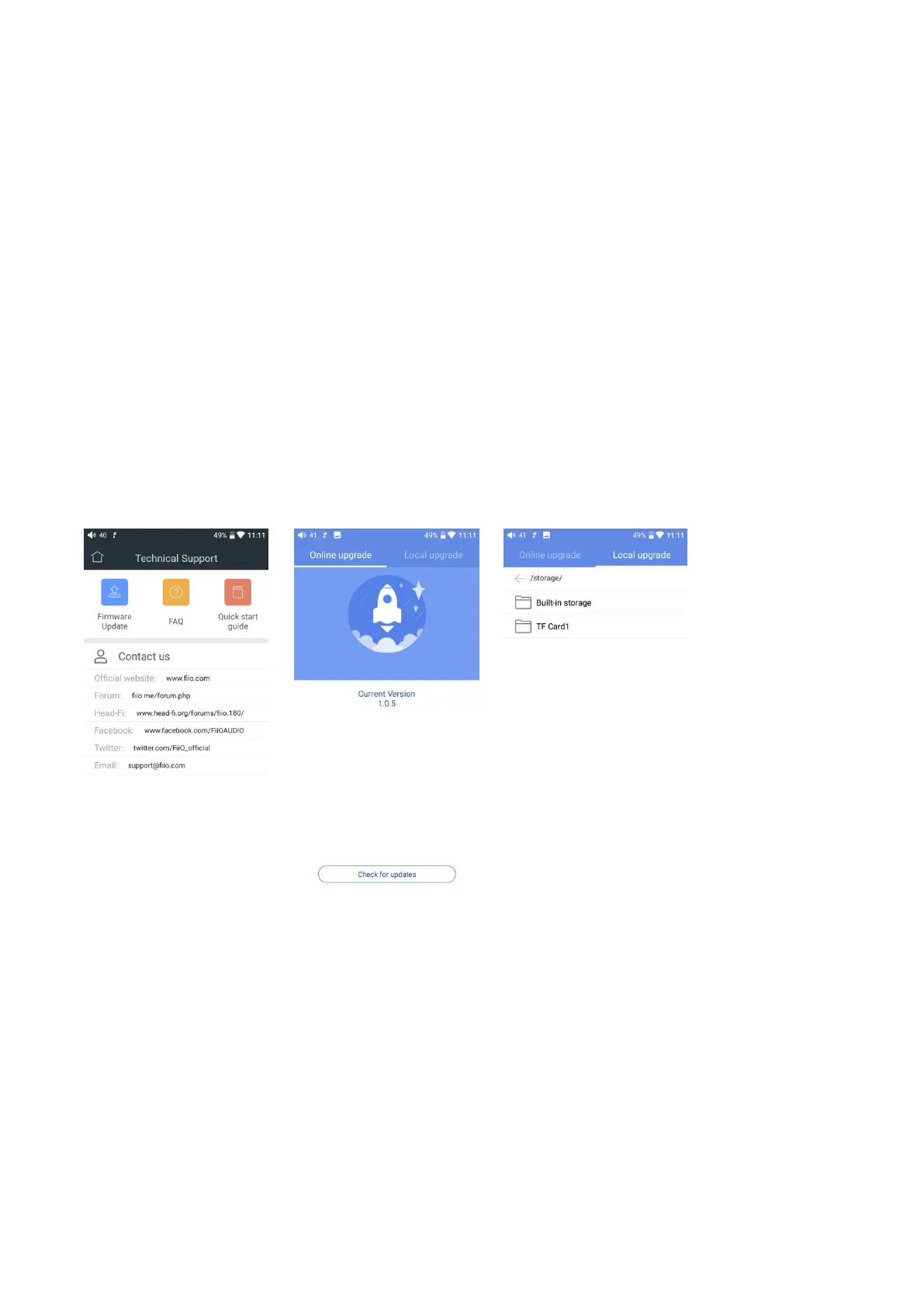
Every time the M15 is connected to WiFi, the firmware upgrade information will be detected
automatically. Then a notification would show up in the status bar: New firmware detected, kindly
go to Technical Support for upgrade. By clicking the notification you can enter into relating menu.
Besides, you can go to Technical Support->Firmware Upgrade->Online Upgrade to see if there is a
new version.
Local upgrade
For local upgrade, the following steps need to be followed.
1) Download the firmware from FiiO official website, such as “M15-ota-1.0.2.zip”, and copy this
firmware file to micro SD card or Built-in storage. Note that the file should not be unzipped, and it is
recommended not to modify the file name.
2) Press “Technical Support ->Firmware Update-> Local Upgrade” accordingly. Locate the firmware
file in the “Local upgrade” interface, pressing it for upgrade.



 To Next Page