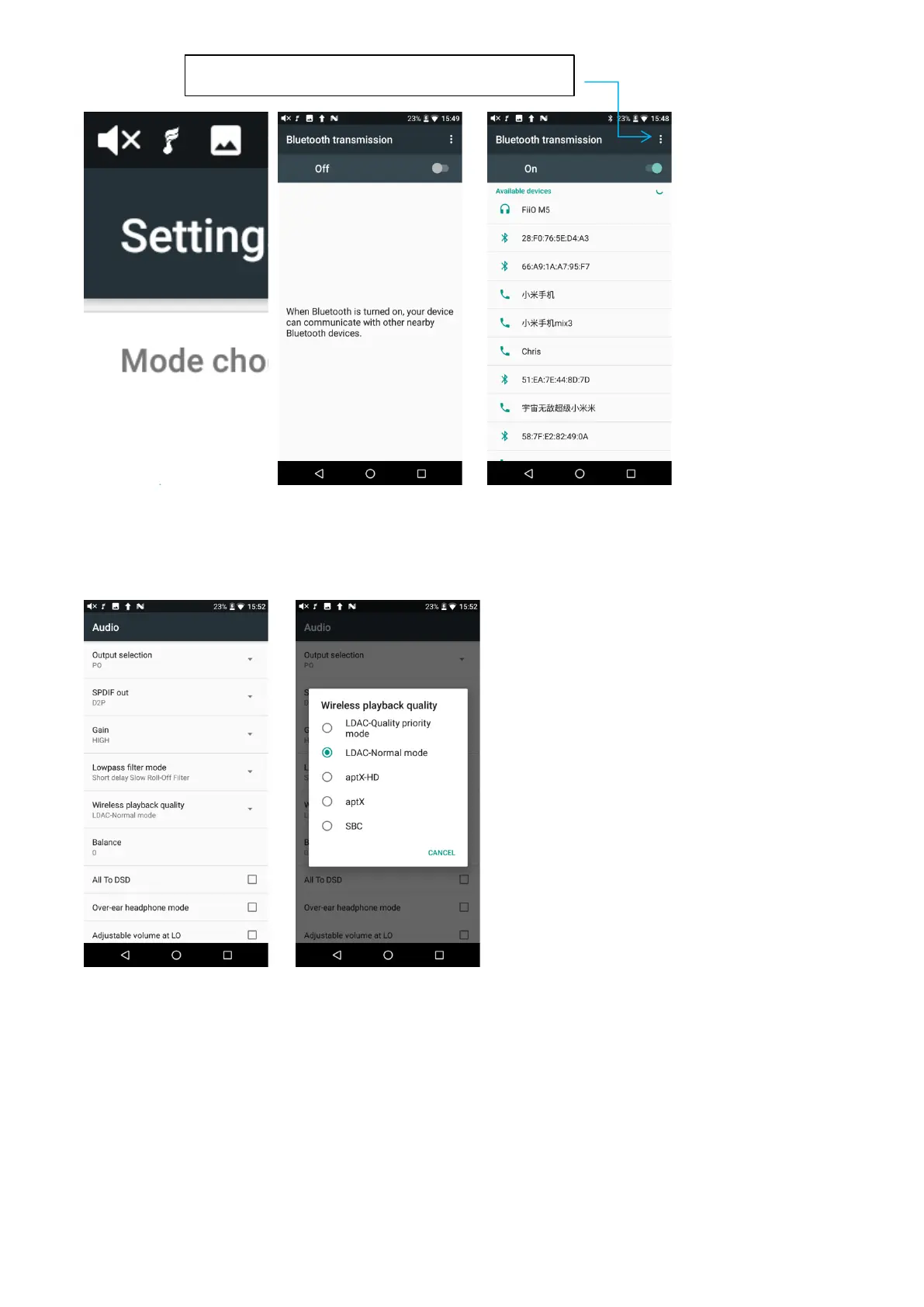
Refresh to search for now Bluetooth devices
Before connecting to Bluetooth, you can select the Bluetooth audio codec which you want to use as
follows.
1)Enter the Settings->Audio interface;
2)Click the Wireless playback quality, selecting the one you want to use. Then disconnect the
current connection and connect with your Bluetooth device again.
Notice:
1
、
If you have already connected with one Bluetooth device and you want to switch to other
Bluetooth codec, you have to disconnect the Bluetooth first.
(
Note that he switching between the
three modes of LDAC can work in real time.)
2
、
When you turn on the Bluetooth of the M15, it will be automatically connected to the latest
available device.



 To Next Page