Installation and Operation Manual FVA-IP Camera
24 P/N 06-523 (Rev. 6) Revision Date: June, 2019
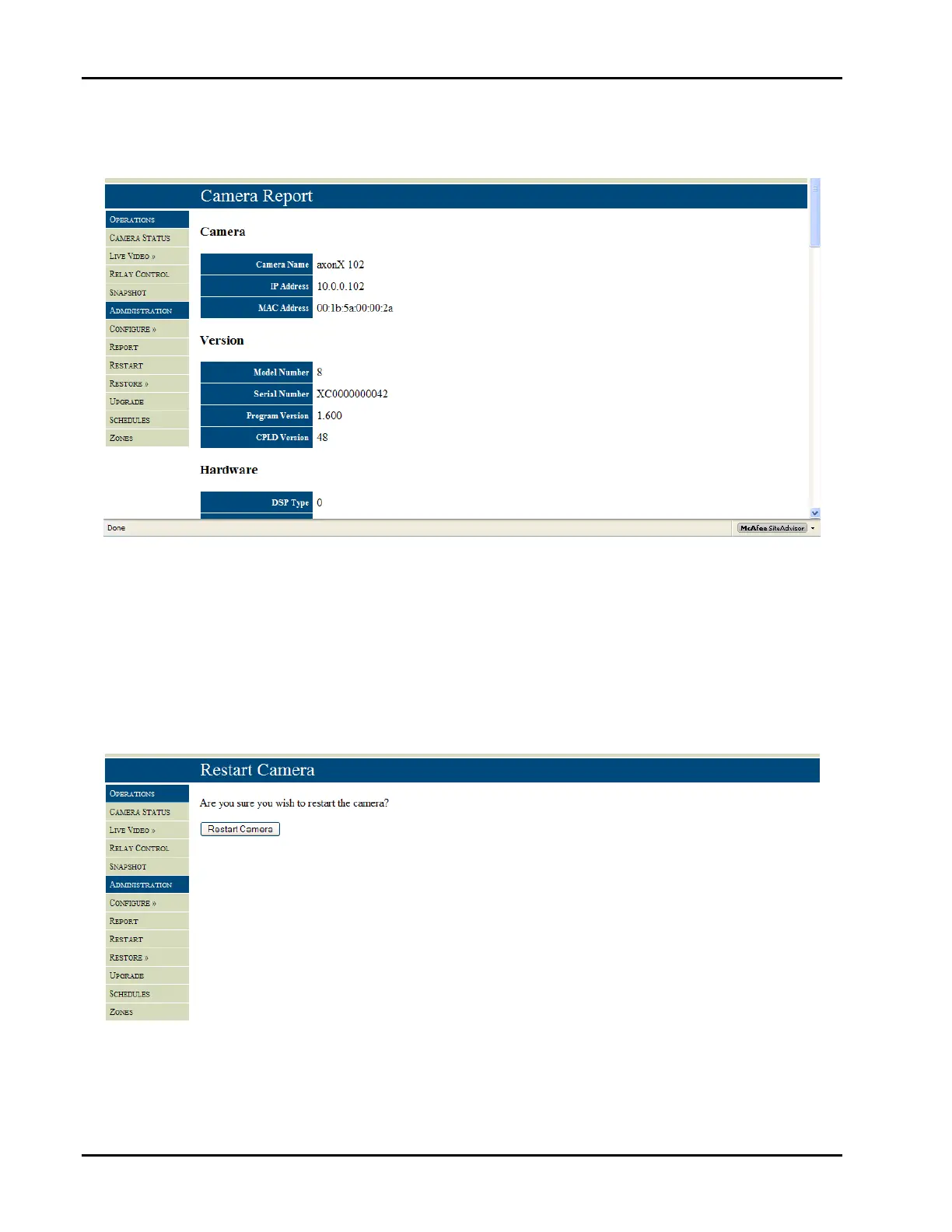
TheCameraReportfeature,Figure20,isausefultooltoinstallers,AHJ’s,andformaintenancepurposes.Thebutton
providesalltheselectedvariablesinaformatthatcanbesavedtoatextfileandprintedoutforrecordkeeping.
Fig20–Camerareportprovidesalistoftheconfiguredvariables.
TheRestartCamerabutton,Figure21,rebootsthecamera.Youwillbeaskedifyouaresureyouwishtorestartthe
cameratoavoidanaccidentalrestart.Wheneverchangesaremadetothecamerasettingwithinthecamerainterface
itisgoodpracticetosaveandrestartthecamera.
NOTE:Ifyourestartthecameraafterchangingcommunicationssettings,youwilllosecommunicationwiththecamera
untilyouenterthesamesettingsonthecomputer.Poweringdownthecameraalsoperformsarestart.Itis
recommendedthattherestartfunctionbeusedwithcaution.
Fig21–Camerarestart


 To Next Page