---------------------------------------------------------------------------------
FINE MECHATRONICS FS8000
28
(EXAMPLE)
* Present display : F01-01
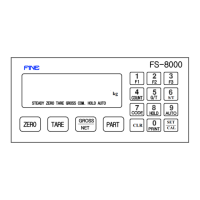
Press CLR key ----> "F02-00" display ----> Press CLR key.
----> "F03-01 display ----> Continuously press CLR key ---->
"F04-XX" ----> "F05-XX" ----> "F06-XX" ---->
Press CLR key in streams, the next function number will be displayed.
* Present display : F01-01
If you want to see function number 12,
Press numerric key "1" and "2" ----> Press CLR key ----> "F12-XX" display
③) If you want to change each functional setting number newly,
Press
SET key after input the functional setting number by numeric key.
CAL
(EXAMPLE)
If "F01-01" is changed to "F01-03",
Press 3 key ----> F01-03 display ----> Press
SET key.
K.T. CAL
A new function number will be memorized.
(Remarks) When you want to change " S & C MODE " from Set-up mode,
Please press key " 0 " + " CLR " consecutively.
※
ERR--07
①Cause : In case it was deviated from a range of value which can be set by SET UP,
②Adjust : Please input the contents of SET UP again.
4-3.
F-FUNCTION SUMMARY LIST


 To Next Page