66
4
OPERATION AND USE
id.:
DB 260 REV. 00 01/07/2015
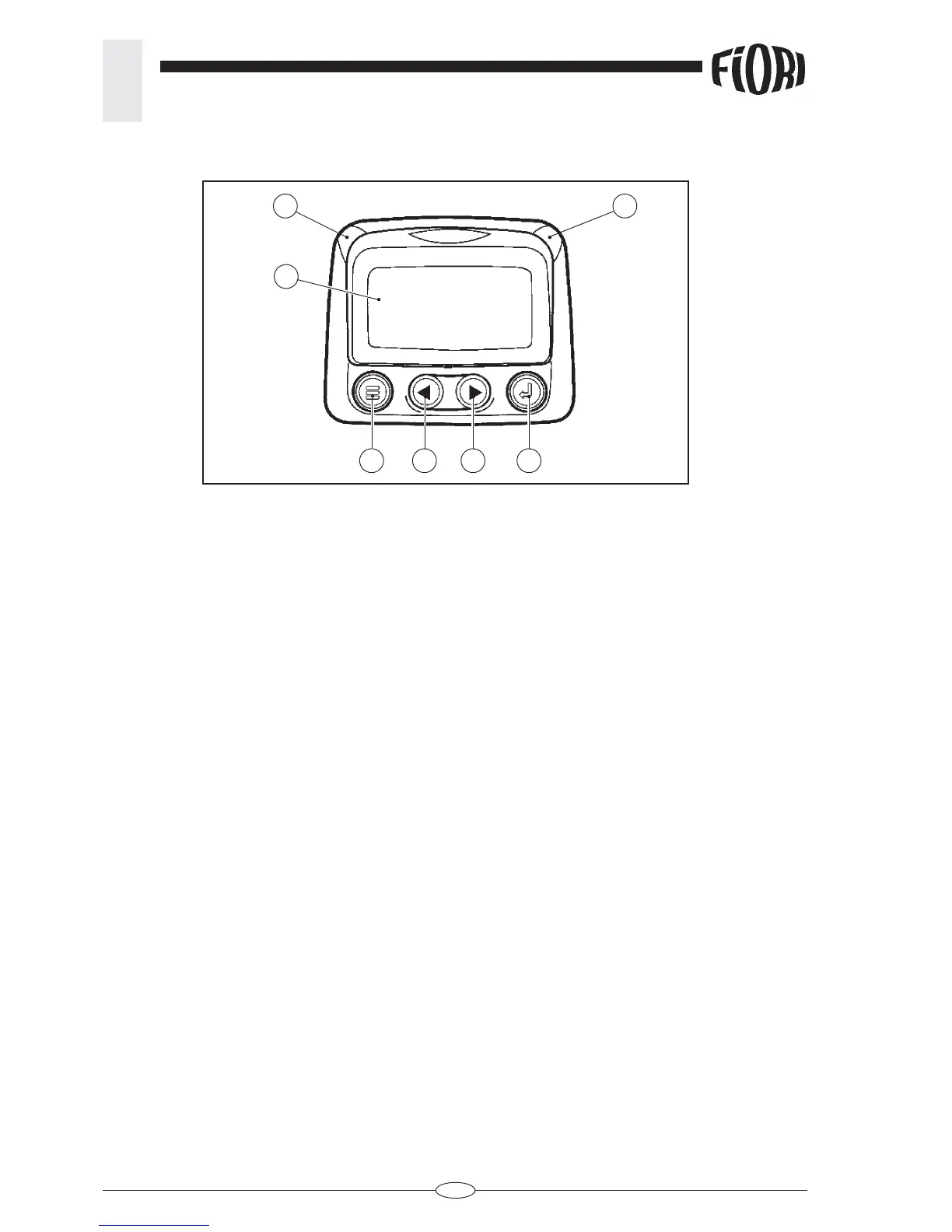
Faceplate Features:
1 - Display.
2 - Amber LED on: caution, reports an engine fault.
3 - Red LED on: serious danger, the error code displays on the monitor.
4 - Menù: Enter or exit menu screens.
5 - Left Arrow: Scroll the screen or move the parameter selection to the left or upward.
6 - Right Arrow: Scroll the screen and move the parameter selection to the right or downward.
7 - Enter Key: Select a menu or parameter or hide/view an active fault code.
When the leds turn on, the yellow engine fault led also turns on (par. 4.2.2 pos.9) together with the amber LED,
the engine fault indicator (par. 4.2.2.l-H) together with the red LED.
CAUTION: Refer to the user manual for further information about the instrument’s functions; the user manual
is supplied separately from this document.
Where necessary, ask an Authorised FIORI Service Centre for assistance.
4.2.1.v - V - Electronic engine parameter control monitor (fi g. 3).
3
1
4
2
5 6 7



 To Next Page