72
4
OPERATION AND USE
id.:
DB 260 REV. 00 01/07/2015
8
2
3
1
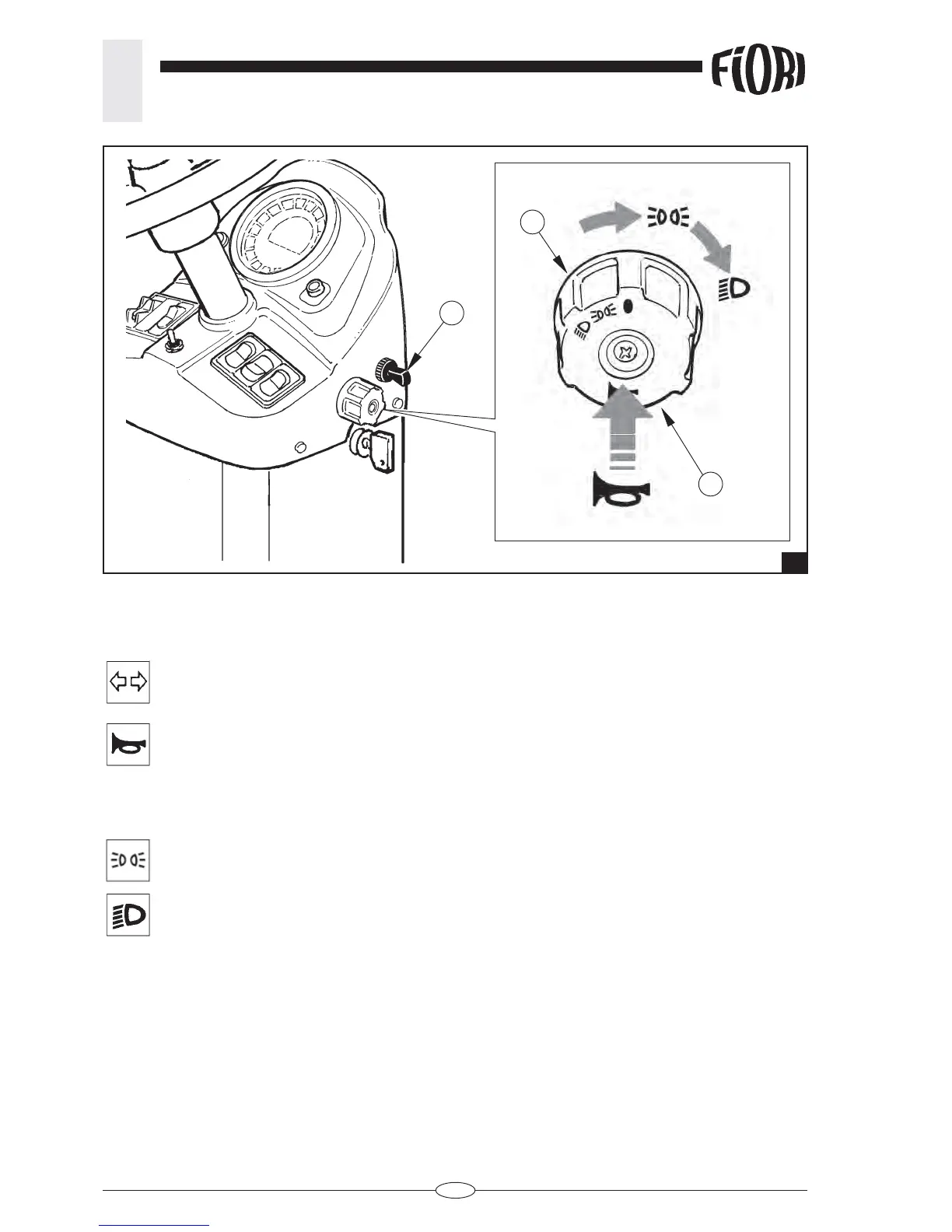
The rotary switch and direction indicators’ toggle switch allow activating the following functions:
- Direction indicators
Shift the direction indicators’ toggle switch (1) forward to indicate a left turn.
Shift the direction indicators’ toggle switch (1) backward to indicate a right turn
- Horn
Press on the rotary switch (2) to activate the horn
- Light switch
The lights come on only if the ignition key is inserted
- Position lights:
turn the rotary switch (3) forward by one click
- Low beams:
turn the rotary switch (3) forward by 2 clicks.
4.2.2.n Rotary switch with horn push button direction indicators toggle switch (fi g.8).


 To Next Page