PRE-INSTALLATION
11.
INTERCOM ADJUSTMENTS
After the Intercom System and the radio interface have been properly installed, there are
some adjustments which MUST be performed for proper operation of the system. These
adjustments are outlined starting on page 16 in this manual.
These adjustments to the intercom MUST be performed by a Qualified Radio Technician to
ensure proper operation of the 2-way radio and 3010R Series Intercom System.
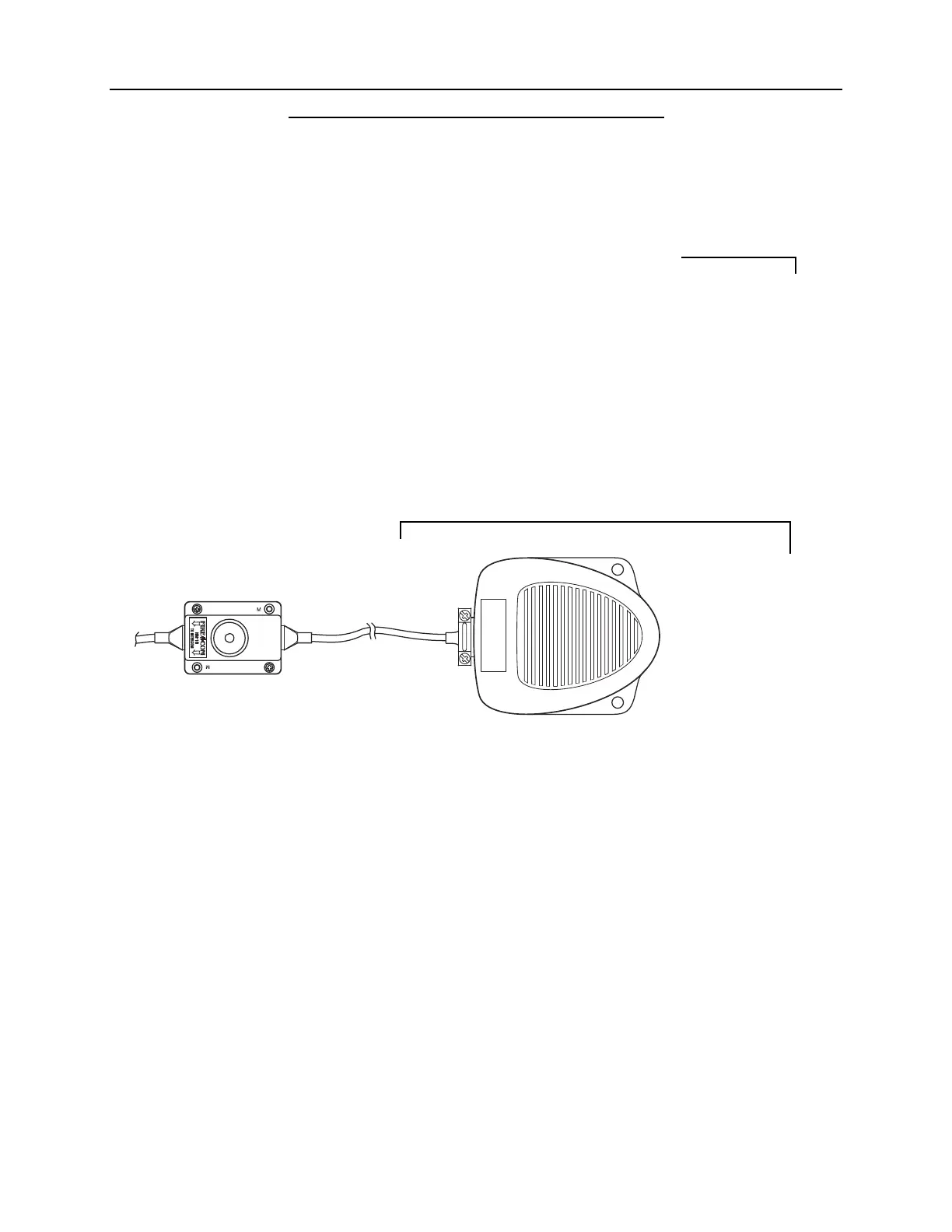
OPTIONAL FOOT SWITCH
The optional Foot Switch (FS-1) is used in situations where the user cannot, or does not
wish to, use the headset mounted Push-T
o-Talk (PTT). The Foot Switch is plugged into
the Daisy-Chain Jack (Figure 8) on the Headset Module of the person using the Foot Switch.
When selecting the location of the Foot Switch, it should be convenient to the user, but in
a location where it will not be accidentally depressed. Routing the CA Cable to that
headset module must also be considered when choosing a location.
FIGURE 8:
Foot Switch
(Remote PTT)
IMPORTANT


 To Next Page