INSTALLATION
12.
BEFORE INSTALLING the Firecom 3010R Series Intercom, make sure you have read AND
UNDERSTOOD the ENTIRE installation procedure. You should also read the sections on
Pre-Installation (page 6) and System Orientation (page 1). If any item in the Installation
Procedure is not understood, or if you have any questions which are not addressed in this
manual, contact your local Firecom Dealer for more information BEFORE you proceed
with the installation.
MOUNTING THE INTERCOM
1. Using the mounting bracket as a template, mark the location of the mounting
holes.
2. Using a 3/16"drill bit, drill 2 holes for the #8 sheet metal screws (supplied).
Be sure the area behind the panel you are drilling into is free of wires or other
obstructions that could be damaged while drilling the holes.
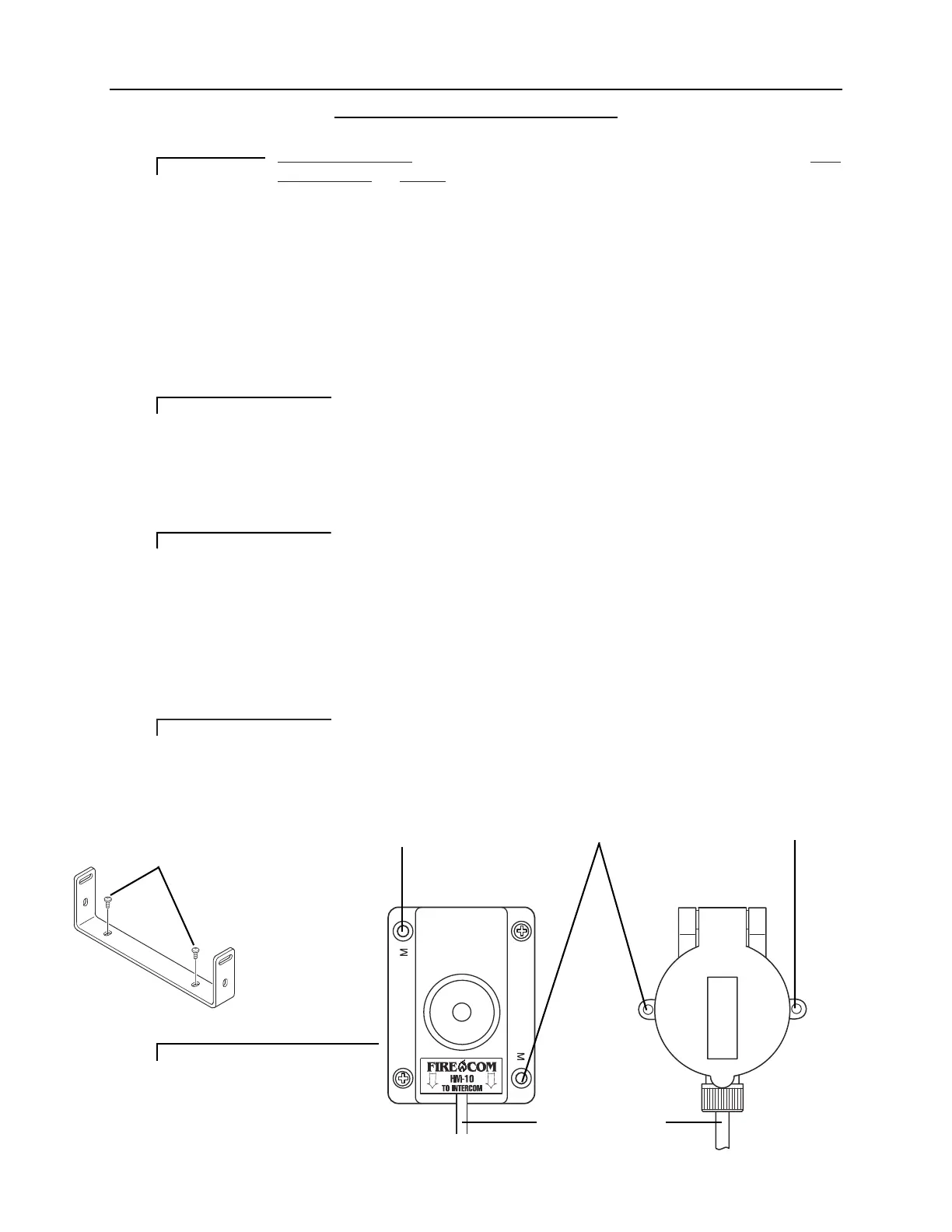
3. Install the mounting bracket with the sheet metal screws (Figure 9).
4. Remove the 4 screws (2 on each side) closest to the rear of the intercom unit and
mount the intercom on the mounting bracket with the 4 screws.
DO NOT completely tighten the intercom mounting hardware until the entire
installation is complete.
MOUNTING THE HEADSET MODULES
5. Using the Headset Module as a template (Figure 10), mark the location of the
mounting holes. The holes in the HM-10 used for mounting the module are
marked with a letter “M”.
6. Using a 5/32"drill bit, drill 2 holes for the #6 sheet metal screws (supplied).
Be sure the area behind the panel you are drilling into is free of wires or other
obstructions that could be damaged while drilling the holes.
7. Position the Headset Module and secure with the provided sheet metal screws.
IMPORTANT
IMPORTANT
IMPORTANT
IMPORTANT
Mounting Hole
Mounting Hole
Mounting Hole
CA Cable To Intercom
FIGURE 10:
Headset Modules
FIGURE 9:
The Mounting Bracket
#8 Sheet Metal Screws


 To Next Page