TROUBLESHOOTING
28.
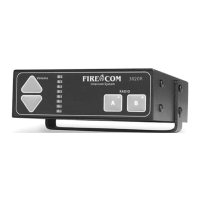
The Firecom 3010R Series Intercom System, when installed properly
and adjusted according
to specifications, will perform reliably and offer you the finest in hearing protection and
enhanced communication. However, as with any electronic equipment, occasionally a mal-
function may occur.
In the following sections, you will find information that will help familiarize you with the
intercom system and aid in the troubleshooting process.
If the symptoms you are experiencing are not covered in this manual, or if you are having
difficulty troubleshooting your system, contact your local Firecom Dealer for assistance.
IF THE SYSTEM DOES NOT OPERATE
AS EXPECTED, CHECK THE FOLLOWING
ITEMS FIRST
• Check that the apparatus master switch is on.
• Check the fuse or circuit breaker.
• Check system wiring and interconnections.
• Check the orientation of ALL RJ-12 Modular Connectors on BOTH ends of each
CA Cable. See “Modular Plug Installation” (page 27).
• Check that the headsets are plugged in all the way.
• Check intercom and headset control settings.
• Check for corrosion on headset plugs.
• Check all intercom ports for bent or stuck pins that can be straightened.
If these steps do not correct the problem, continue with the advanced troubleshooting
procedures on page 31.


 To Next Page