SYSTEM TEST
21.
11. Adjust the headset volume for a comfortable listening level.
12. Monitor radio communications. Verify that the incoming radio transmissions are
the same volume as the intercom volume.
13. Repeat steps 4 to 12 for each headset/headset position on the apparatus.
TEST RADIO COMMUNICATION
Steps 14 to 16 are for Radio-Transmit Headsets only! These are the models FH-10 and
UH-10, and have a red PTT on the ear dome.
14. Put on a Radio-Transmit Headset (Model FH-10 or UH-10).
15. Test radio transmission by pressing the red PTT button on the ear dome and
speaking into the microphone. You should transmit on the radio.
16. If there is an optional foot switch installed, test radio transmission by pressing the
foot switch and speaking into the microphone on the headset.
17. Repeat steps 14 to 16 for each Radio-Transmit Headset on the apparatus.
SYSTEM DYNAMIC TEST
18. Start the apparatus engine.
19. Using a Radio-Transmit Headset close to the intercom unit, check the intercom
and radio functions.
REMOTE HEAD TEST
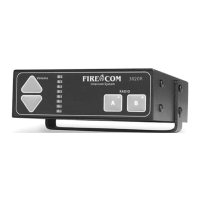
20. Press the Volume Up and Down arrow. Note the same changes on the base unit.
21. Press the radio select buttons. Note the same changes on the base unit.
Final adjustment of the Volume Controls may be required under actual apparatus operating
conditions.
If excessive engine/siren noise is present in the headsets, the intercom volume level
should be reduced slightly. To compensate for this reduced volume, you must speak louder
into the microphone.
IMPORTANT
IMPORTANT


 To Next Page