ADVANCED TROUBLESHOOTING
32.
6. Try swapping the intercom unit with a known good one (if one is available). If the
problem persists, the problem is in the Radio or the Mobile Radio Interface wiring.
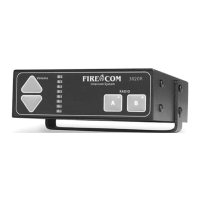
7. If no fault can be found, then the fault must lie in the Intercom Unit. Contact Firecom
Service for a Return Material Authorization (RMA) Number to return the Intercom
Unit for repair.
C) THERE IS SOUND IN THE HEADSET FROM THE RADIO, BUT NOT
FROM THE INTERCOM
1. Check the headset location for faulty connections or components.
See “Troubleshooting a Headset Location” (page 30).
2. The Intercom Unit is faulty. Contact Firecom for a Return Material Authorization
(RMA) Number to return the Intercom Unit for repair..
D) THERE IS SOUND IN ONLY ONE EAR
1. Check to see if the headset is a model UH-10S headset. The UH-10S has one
“slotted” ear dome without a speaker in it. This is normal operation for a
UH-10S.
2. The headset is faulty. Contact Firecom for a Return Material Authorization
(RMA) Number to return the headset for repair..
E) YOU CAN HEAR OTHERS ON THE INTERCOM, BUT THEY CANNOT
HEAR YOU
1. If the headset is an Intercom-Only Headset with a Black PTT, be sure that the PTT
button is fully depressed when trying to talk on the intercom.
2. If the headset is an Intercom-Only Headset with a Yellow PTT, press and release
the PTT and test again.
3. Check the headset location for faulty connections or components.
See“ Troubleshooting a Headset Location” (page 30).
4. The headset is faulty. Contact Firecom for a Return Material Authorization
(RMA) Number to return the headset for repair..
F) YOU CAN'T HEAR OTHERS ON THE INTERCOM, BUT THEY CAN
HEAR YOU
1. Check the headset location for faulty connections or components.
See“ Troubleshooting a Headset Location” (page 30).
2. The Intercom Unit is faulty. Contact Firecom for a Return Material Authorization
(RMA) Number to return the Intercom Unit for repair..


 To Next Page