Document #50801 Rev. B 8/17/98 P/N 50801:B
35
Programming Function
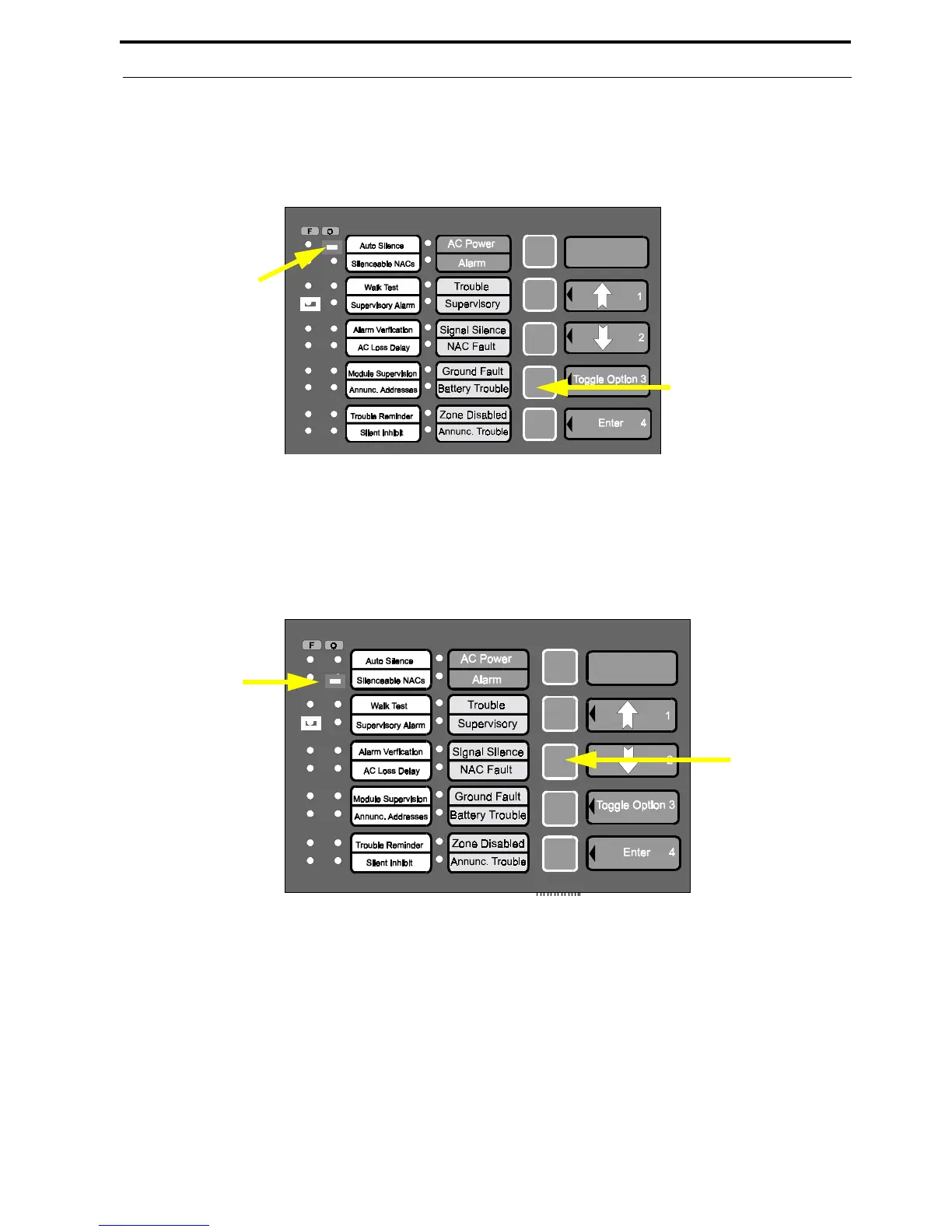
7. Press the keypad 3 key (Toggle Option) to select the auto-resettable option. Repeated pressing of the 3 key
will toggle between the two available options.
Note that in this option, latching is either enabled or disabled. If latching is disabled, the auto-
resettable option is automatically selected. Since latching is disabled, the 'cursor' will blink at a 1/10
second On and 9/10 second Off rate. The LED will turn off when the cursor is moved off of it.
8. Press the Down arrow key to position the 'cursor' at the Zone 2 trouble LED which corresponds to the Zone 10
latching/auto-resettable option. Refer to Table 3-6, “Supervisory Alarm - Zone 4 Alarm LED,” on page 39.
9. Press the keypad 3 key (Toggle Option) to select the auto-resettable option. The cursor should blink at a 1/10
second On and 9/10 second Off rate (refer to step 7). The LED will turn off when the cursor is moved off of it.
3 Key (Toggle Option)
'Latching' Disabled
- LED 1/10 sec. On,
9/10 sec. Off
Down Arrow
Key
Zone 2
Trouble LED














 To Next Page