English Customer Service: 1-844-FIRMAN1Page 11
Remote Start
This generator is equipped with a wireless remote
start system for starting and stopping.
The Remote Start functions are enabled when:
1.The Engine Switch is in the “RUN”(l) position,
AND 2.The Battery Switch is in the “ON”(l) position.
The Remote Start functions are disabled if either of
the above conditions is not met.
Remote Control Power Consumption
While the Engine Switch is in the “RUN”(l)
position and Battery Switch is in the “ON”(l)
position, the remote module is active and waiting
for a remote signal. This function requires
electrical current from the battery. If the Battery
Switch is left in the “ON”(l) position for extended
periods the battery can be completely drained.
NOTE:
THE BATTERY SWITCH ALWAYS SHOULD BE IN
"OFF"(O) POSITION AT THE END OF USE TO
PREVENT BATTERY DRAIN.
Remote Control Programming
Before the generator can be started , an initial
start-up procedure must be performed so the
generator and the remote control recognize each
other.
NOTE:
YOUR REMOTE CONTROL IS ALREADY
PROGRAMMED IN
FACTORY FOR YOUR CONVENIENCE. AND IT IS
READY TO START THE GENERATOR.
If the remote control is replaced then you will
need to go through following procedure with new
remote control.
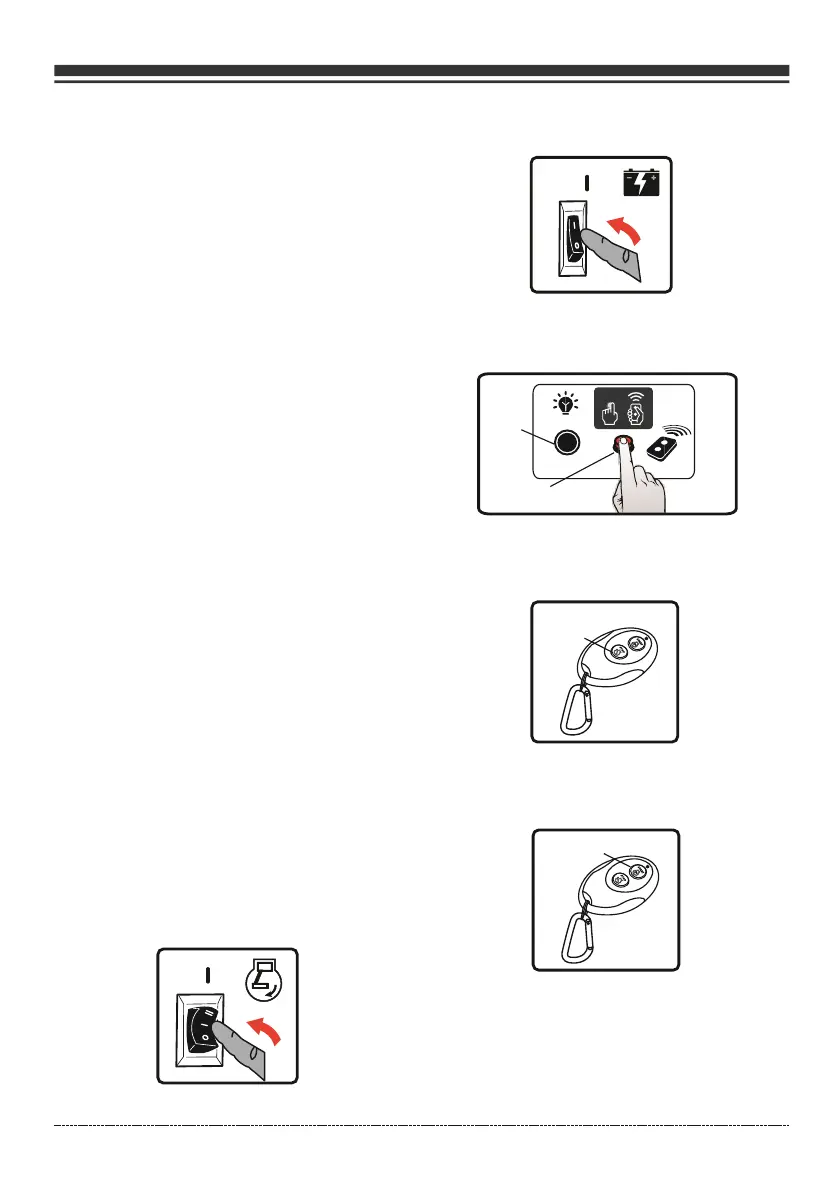
1. Flip the engine switch to the "RUN"(l)
position.
2. Flip the battery switch to the "ON"(l)
position.
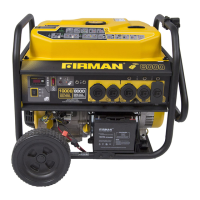
3. Push and hold the program button on
the control panel for approximately 3 seconds. The
remote start indicator light will light.
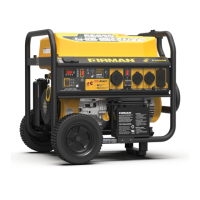
4. Push and release the ''STOP'' button on
the remote control. The indicator light will flash
once to erase the remote program.
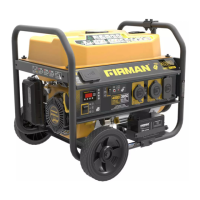
5. Push and release the ''START'' button.
The indicator light will flash once to program the
remote.
6. Push and hold the program button
approximately 3 seconds until the indicator light
turn off. The generator is now programmed to
start remotely.


 To Next Page