6
About Heart rate on the Fitbit Surge
aka BPM (beats per minute)
HR settings auto, on, off
Guidelines as to accuracy of HR
You can see your current heart rate (BPM) at any time, from either the clock screen or while running or
exercising.
Copied from “Tracking heart rate with Charge HR” 8/6, edited See
https://wiki.fitbit.com/display/prdct/1.1.1.6+Device+Heart+Rate+Display
and
https://wiki.fitbit.com/display/prdct/2.1.1.2+In-Run <<test this after next FWUP –brs>>
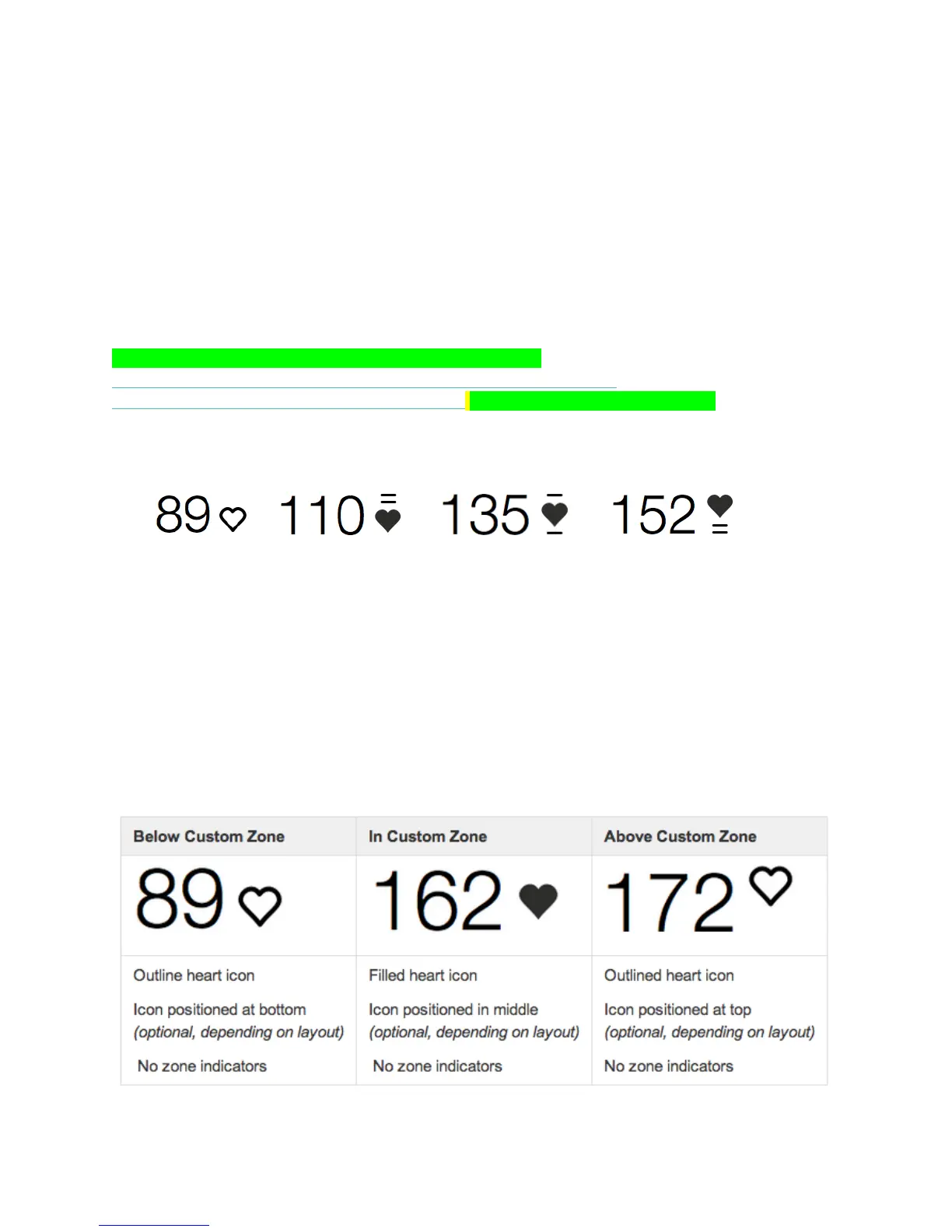
From the clock screen on your Surge, scroll to the heart rate screen. By default, the appearance of the
heart changes depending on your heart rate zone:
Below Zone Zone 1 Zone 2 Zone 3
Heart rate zones are calculated using the maximum recommended heart rate for your age. If you’re below
Zone 1, your resting heart rate is between 30 to 60 BPM, or 0 to 49% of your maximum. Zone 1
represents fat burn, when your heart rate is at 50 to 69% of maximum. Zone 2 is cardio, where your heart
rate is at 70 to 84% of maximum. Lastly, Zone 3 is performance, meaning your heart rate is at 85 to 100%
of maximum.
Instead of using these default zones, you have the option of configuring a custom heart rate zone. Simply
log in to your dashboard and click the gear icon on the upper right. In the Body Info section on the
Settings page you can select the minimum and maximum heart rate for your custom zone.


 To Next Page