21
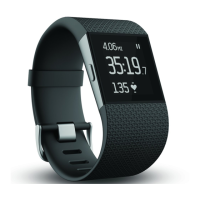
Wearing your Fitbit Surge
Your Surge is designed to be most accurate when worn on your wrist. To get the most accurate reading
from your Surge, specify whether you are wearing it on the wrist of your dominant or non-dominant hand.
NOTE: Your dominant hand is the hand you use for most day-to-day activities, e.g., writing, washing
dishes, or throwing a ball.
Specifying dominant or non-dominant hand
You can specify this setting from your computer.
Note: can also set via mobile app. See <<ADD LINK HERE>>
1. Log in to Fitbit.com.
2. Click the gear icon in the top-right corner of the dashboard.
3. Click Settings.
4. Click Devices on the left sidebar.
5. Under Dominant Hand choose the correct setting.
NOTE: Changes to this setting will not take effect until you sync your Surge.
Using your Surge in wet conditions
This is what we say for Flex; true for Surge?
Your Surge can be worn while you are in the shower or working out. It is sweat-proof, rain-proof, water
resistant, and can be submerged in water up to 50 meters. <<Waiting for info about swim-proof-ness. –-
brs>>


 To Next Page