16
Managing notifications on an iOS mobile device
To turn notifications on or off:
1. Open the Fitbit app on your iOS device.
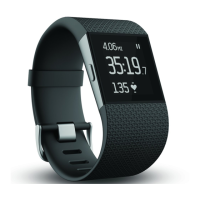
2. Click Surge at the top of your dashboard.
3. Toggle Call Notifications on or off.
4. The first time you turn on Call Notifications, you’ll receive a Bluetooth pairing request. <<Even
if you’ve already paired for syncing? –brs>>
5. Tap Connect. Make sure your Surge is in Pair mode; see BT Classic on page 21. <<What about
Text notifications? Does Call Notifications actually set both? Can’t connect or Pair, so need to
test this later –brs>>
Managing notifications on a Windows mobile device
To turn notifications on or off:
1. To do
Managing notifications on an Android mobile device
To turn notifications on or off:
1. To do


 To Next Page