www.flammainnovation.comShenzhenFlammaInnovationCo.,Ltd
22
DRUM
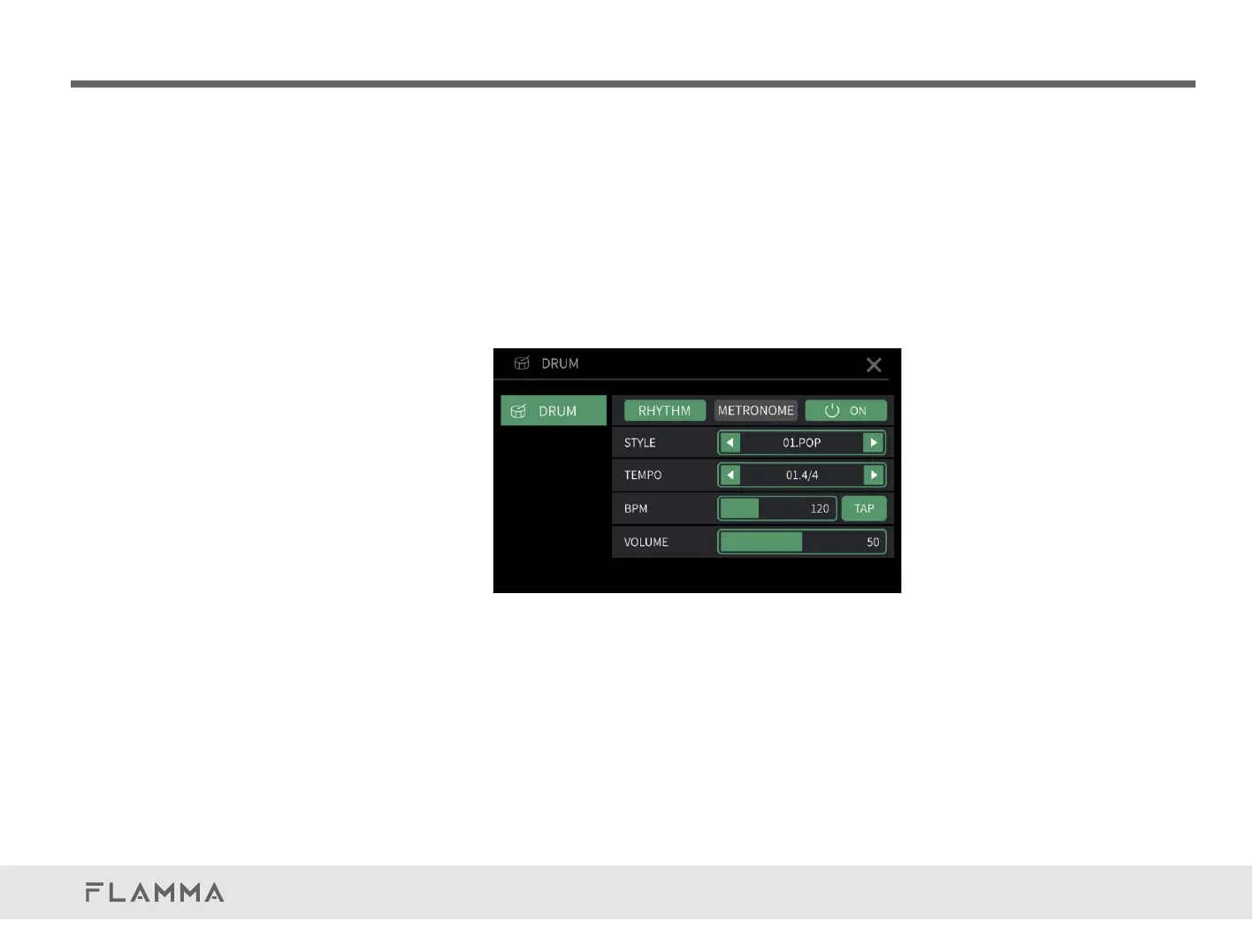
The FX200 has 8 different styles of drum grooves. Each style has 10 different rhythm types.
Intheloopermenu,pressFootswitchBtoturnon/offdrummachine.ThefootswitchLEDindicator
willturnBLUE.
PressandholdFootswitchBfor2secondstoenterTAPTEMPOmode.ThefootswitchLEDindicator
willblinkinGREEN.Inthismode,pressthefootswitchformorethantwotimestosetthespeedof
drummachine.TheBPMvalueandtheblinkingratewillindicatecurrentplayingspeed.
On this page, press RHYTHM or METRONOME to select it.
Pressthepowerswitchicontoturnon/offthedrummachineormetronome
(sameaspressingFootswitchB).
STYLE:Selectastyleofdrummachine.Clickontheleftorrightarrow,orrotateVALUEtoselecta
style.
TEMPO:Selectarhythmtypeofthedrummachineorthemetronome.



 To Next Page