www.flammainnovation.comShenzhenFlammaInnovationCo.,Ltd
26
FOOTSWITCH
Youcanextendthefunctionoffootswitchtoletthefootswitchcontrolmoreparameters/functions.
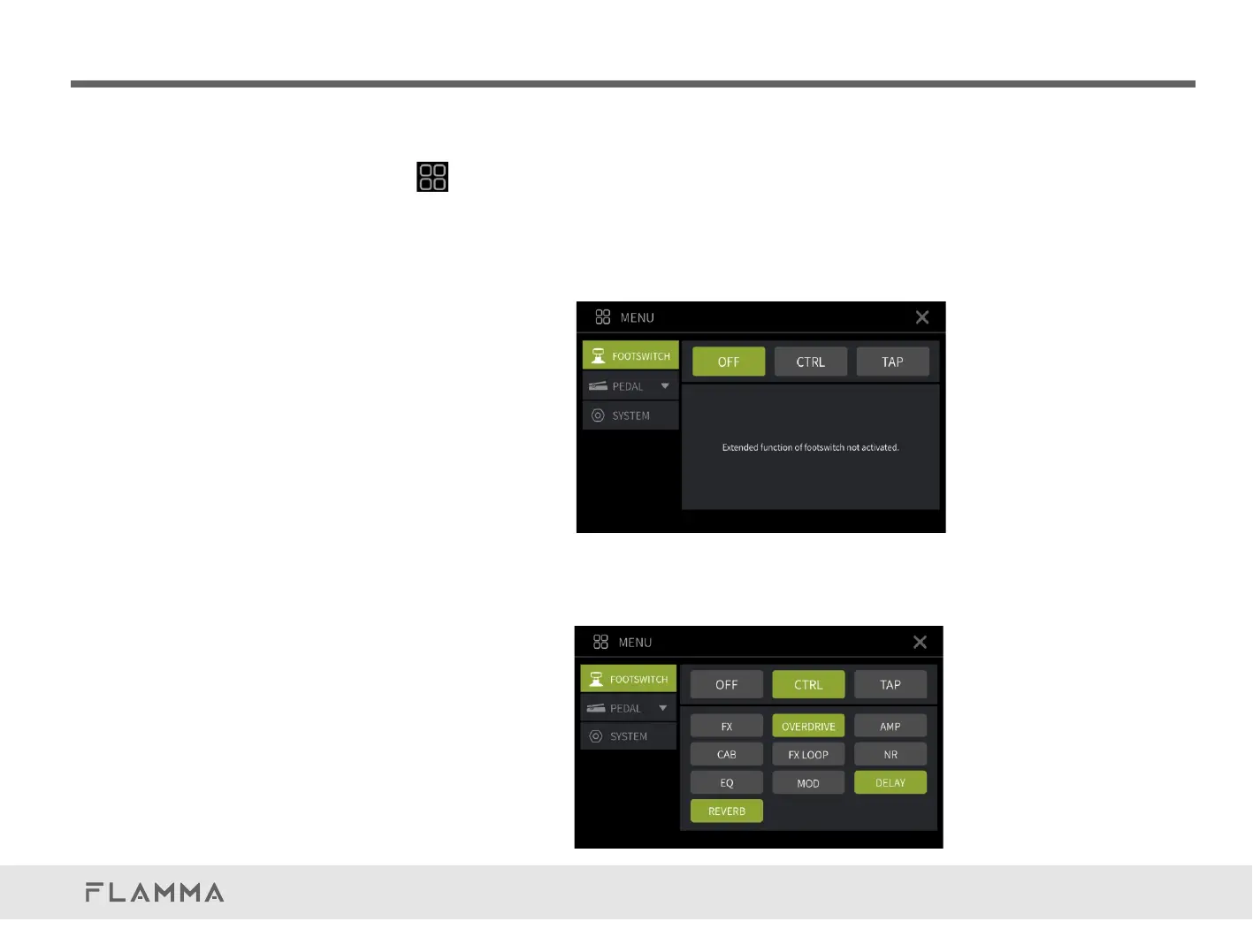
ClickontheonthetoprightcornertoentertheMENUpage.SelectFOOTSWITCHtosetupit.
YoucanselectfromOFF,CTRLandTAP.
OFF:Turnofftheextendedfunctionofthefootswitch.Pressingthefootswitchwillnotactivatethe
CTRLorTAPfunction.ThefootswitchLEDindicatorwillstayGREEN.
CTRL:SelecttosetthefootswitchastheCTRLfunction.Selectamodulebelowtosetup.The
selectedonewillbehighlighted.Youcanthenpressthecurrentlyselectedpresetfootswitchto
turnon/offamodule.ThefootswitchLEDindicatorwillswitchbetweenBLUEandPURPLEto
indicateifamoduleison/off.



 To Next Page