12
ToolsPreheatBuild
Setting Status About
Filament Level Home Manual
HOME
<
<
Wait
Please wait...
Auto calibration.
Please operate under the guidance of customer service for the first calibration.
Calibration
Door Opened Remind
Startup Sound
Left Filament Check
Right Filament Check
Calibration
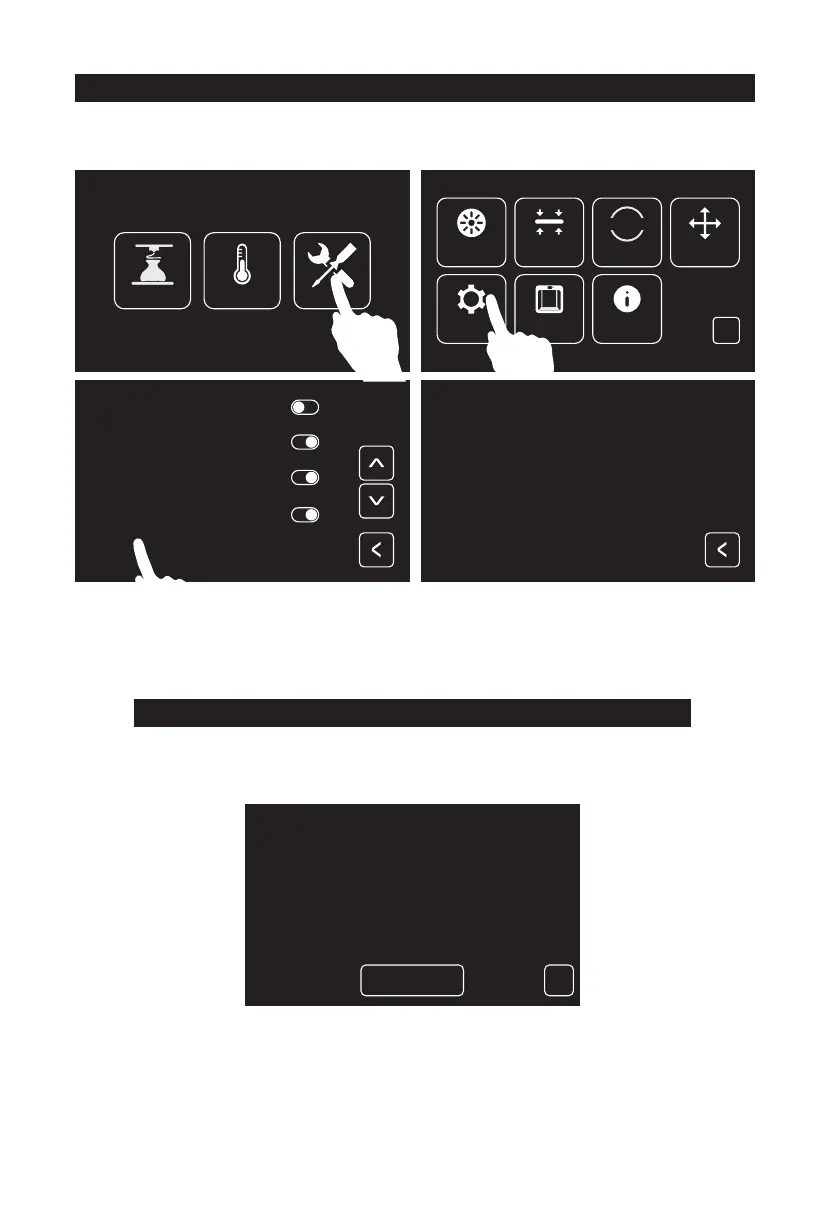
1. Tap [Z-axis calibration] and wait for Z-axis calibration of extruder and build plate.
Do not interrupt during the calibration process.
Tap [Tools], tap [Setting], tap [calibration] in setting page.
Please level before Z-axis calibration.
Please refer to the 06 page for leveling
Z Calibration
Z Calibration
X Calibration
Y Calibration















 To Next Page