11
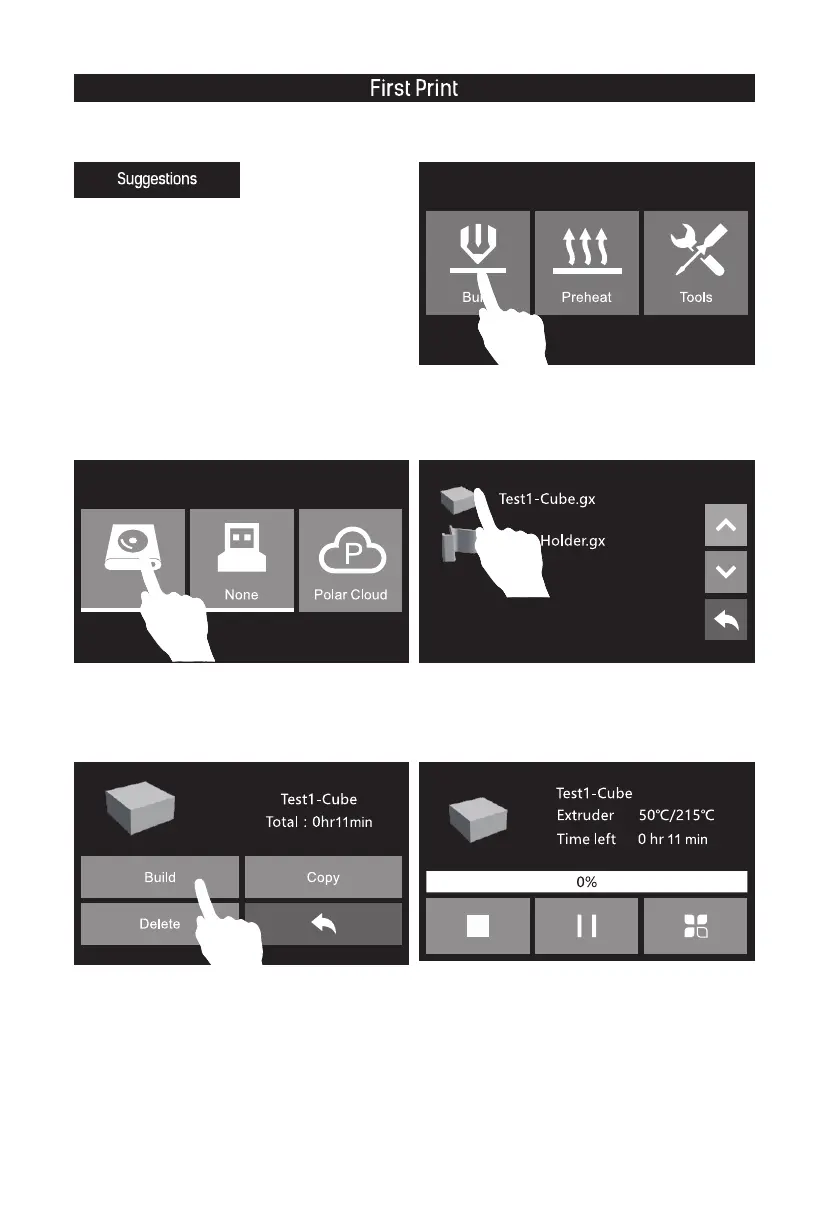
1. Tap [Build].
2. Tap [Memory Card] icon.
4. Tap [Build]. 5. The extruder starts to heat, once heated, the
printer will start to print.
3. Tap [Test1-Cube.gx].
1. Ensure that the build plate has been leveled before
printing.
2. Ensure that the filament has been loaded in an
appropriate approach.
3. Load the filament for a while to extrude all the
melted filament you printed last time out of the
extruder.
4. Please clean extruder before printing.
5. Do not leave the printer unattended during
operation.















 To Next Page