12
Extruder
Load Unload
Done
Extruder
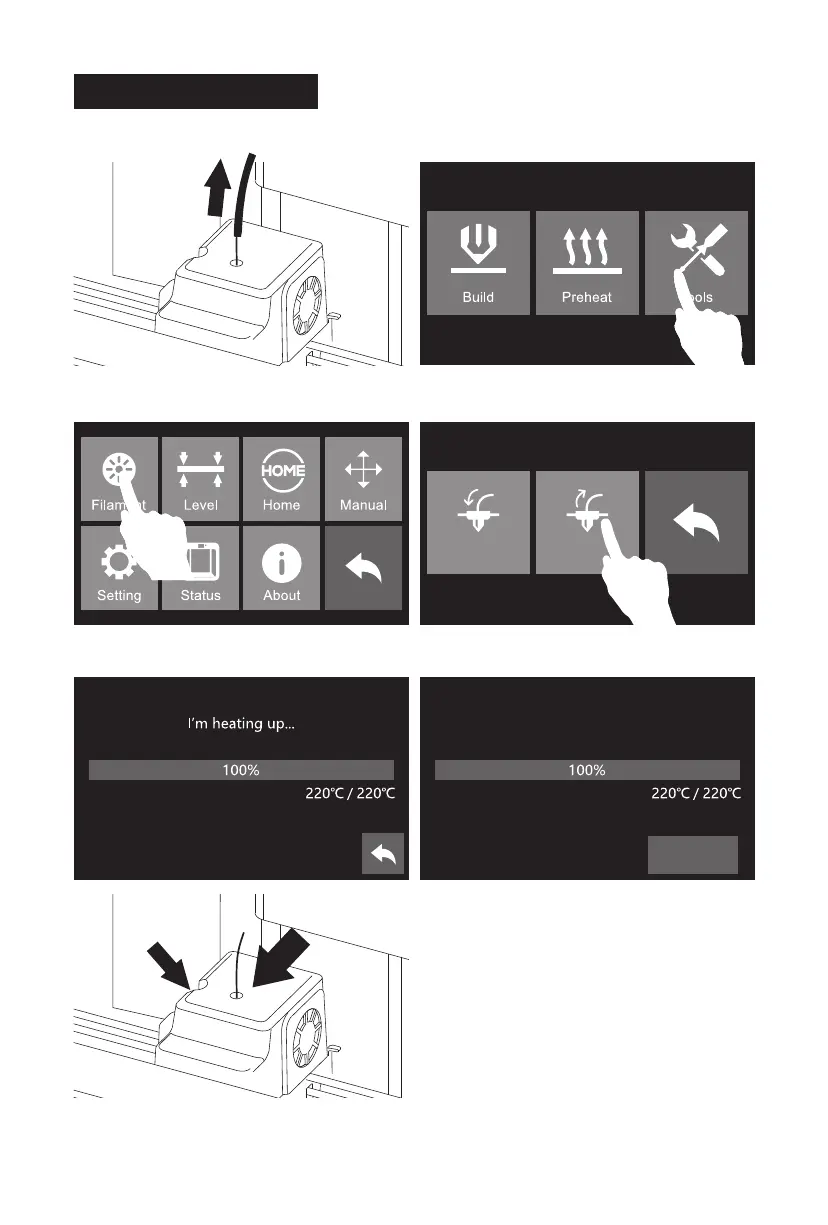
Unload started, press down on the
spring lever and withdraw filament
2. Tap [Tools].1. Pull filament guide tube out of filament intake,
leave filament 10cm to pull filament easily.
5. Extruder starts to heat. When heating to target
temparture, press spring presser and push
filament down through for 3 seconds until you
see steady filament coming out from nozzle.
Please follow steps below if you need to unload filament in
daily use.
3. Tap [Filament]. 4. Tap [Unload].
Unloading Filament
Press here
Push filament down through for 3 seconds















 To Next Page