Password lock
Disable
Password lock
Disable
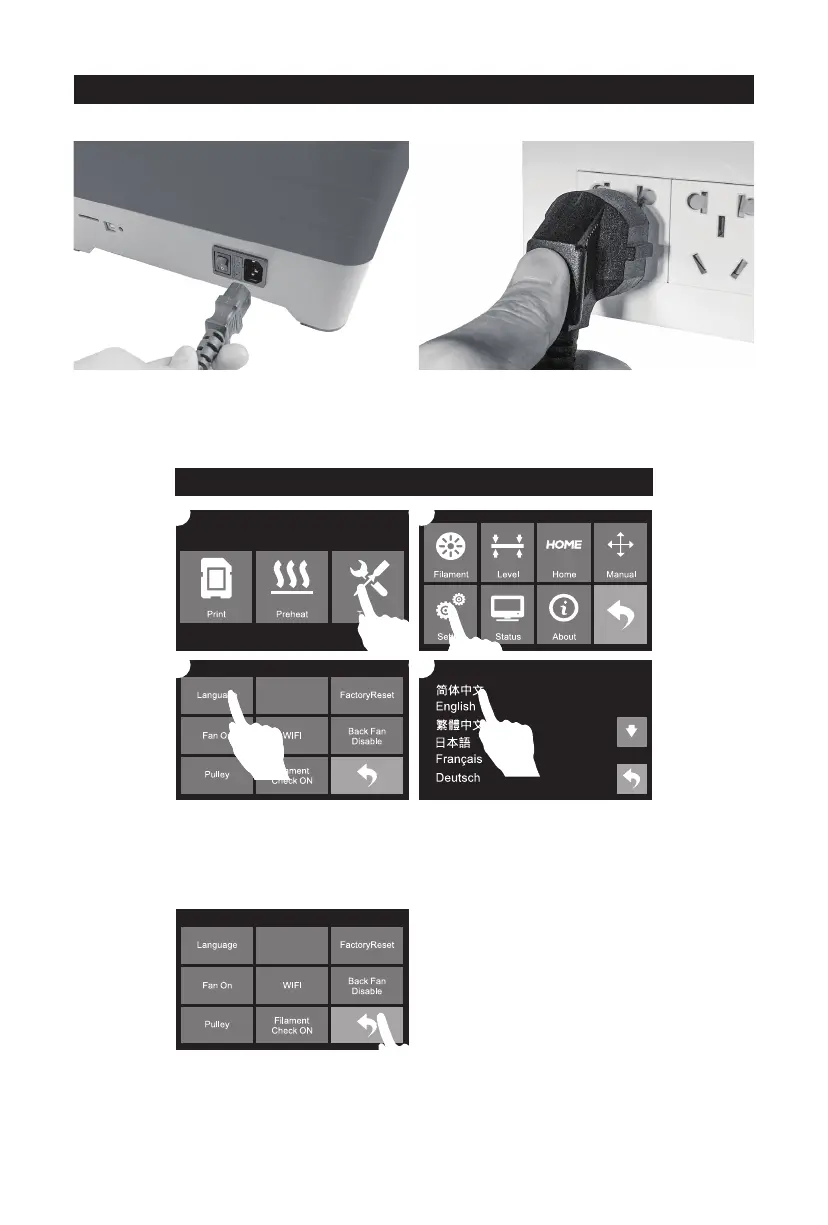
How to change language
3. After language setting completed, tap return arrow to go back.
2. Plug the other end of power cable into socket,
turn on the power switch.
Follow steps above if you need to do language setting.
Leveling
1. Take power cable out and plug it into power
input on the right side of the printer.
11
02
03
01
04















 To Next Page