SECTION 1 • BASICS
CONNECTING THE
multi
MAUS
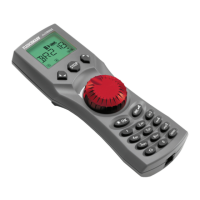
Fig. 2 on page 61 shows the basic connection. For a fully-functional Fleischmann digital system with the
multi
MAUS, you will need the following components:
– A 680801 amplifi er,
– A 681301 mains adapter,
– Connection material H0/N (e.g. cage clamp clips supplied with start-sets). If you are using another
feeder track or system, make sure that there is no capacitor in the feeder track.
You will fi nd information on other devices which you can use with the
multi
MAUS in the chapter “COMPAT-
IBILITY OF THE
multi
MAUS” in the third section of this manual, see from page 24.
Please pay attention to the following instructions before you start connecting components:
The warranty will be voided if you are using Fleischmann or ROCO components together with compo-
nents from other companies. In addition there is a risk of damage or malfunction to your digital system.
Your warranty will also be void if you open the housing of the
multi
MAUS.
Please only carry out any connection work with the operating voltage switched off (as an excep-
tion: connection of further X-Bus based equipment, see below). Work carefully and make sure to avoid
short circuits at all costs when connecting to the track system. An incorrect connection may destroy the
digital components. You should also seek the advice of a specialist or local dealer.
To operate the digital system without faults, you should avoid extending the connecting cable to the
master mouse.
The Fleischmann X-Bus-cables are marked on one end by the X-Bus sign. The Fleischmann LocoNet
cables do look similar, but they do not have these markings. Under no circumstances mix up those two
kinds of cables! For the
multi
MAUS and the units connected to it only use X-Bus cables!
It is imperative that you do not connect a normal transformer on the same circuit parallel to the digital
controller. This could destroy the digital booster!
1. Plug the cables from the track feed connectors into the track socket “Track Out” on the amplifi er.
2. Plug the hollow plug, which is connected to the mains adapter by the two-pin cable, into the “Power
In” socket.
3. Connect the
multi
MAUS and the amplifi er using the cable included with your system. Plug the cable
into the connection socket on the booster labeled “Master”.
4. You can now (and not beforehand) connect the mains adapter to the mains socket. This way you
avoid damaging the digital system.
The socket labeled “slave” is for connecting a further
multi
MAUS, a Lokmaus 2 / R3, the RouteControl
10772 or a PC with the ROCOMOTION software. In this case you should have switched the system on. This
ensures that the automatic allocation of the X-Bus addresses will be without any problems. If more than
one of these devices are to be connected, you will require the data BUS distributor Roco 10758.
We therefore recommend that you use a
multi
MAUS as the master. See also the chapter “MASTER-AND-SLAVE
PRINCIPLE” in the third section of this manual.
Note on the instructions
Text that contains an “à” before a word refers to a defi nition in the “GLOSSARY” in section three.
“+” in the diagrams means that both the keys mentioned must be pressed together.
“/” in the diagrams stands for a selection of one of the two keys mentioned.


 To Next Page
 Loading...