OPERATING THE
multi
MAUS
Despite its numerous options, operation of the
multi
MAUS is simple and intuitive. The following shows
you how to operate the
multi
MAUS based on practical examples.
If problems occur during operation or programming, hints, tips and the meaning of error messages can be
found starting on page 58.
1. Start
After starting up the
multi
MAUS, the display screen shows the word “
multi
MAUS” in animated let-
tering. The
multi
MAUS then switches to drive mode and displays the fi rst locomotive.
1.1. First-time use
When connecting the
multi
MAUS for the fi rst time, there is only one locomotive (address 3) in
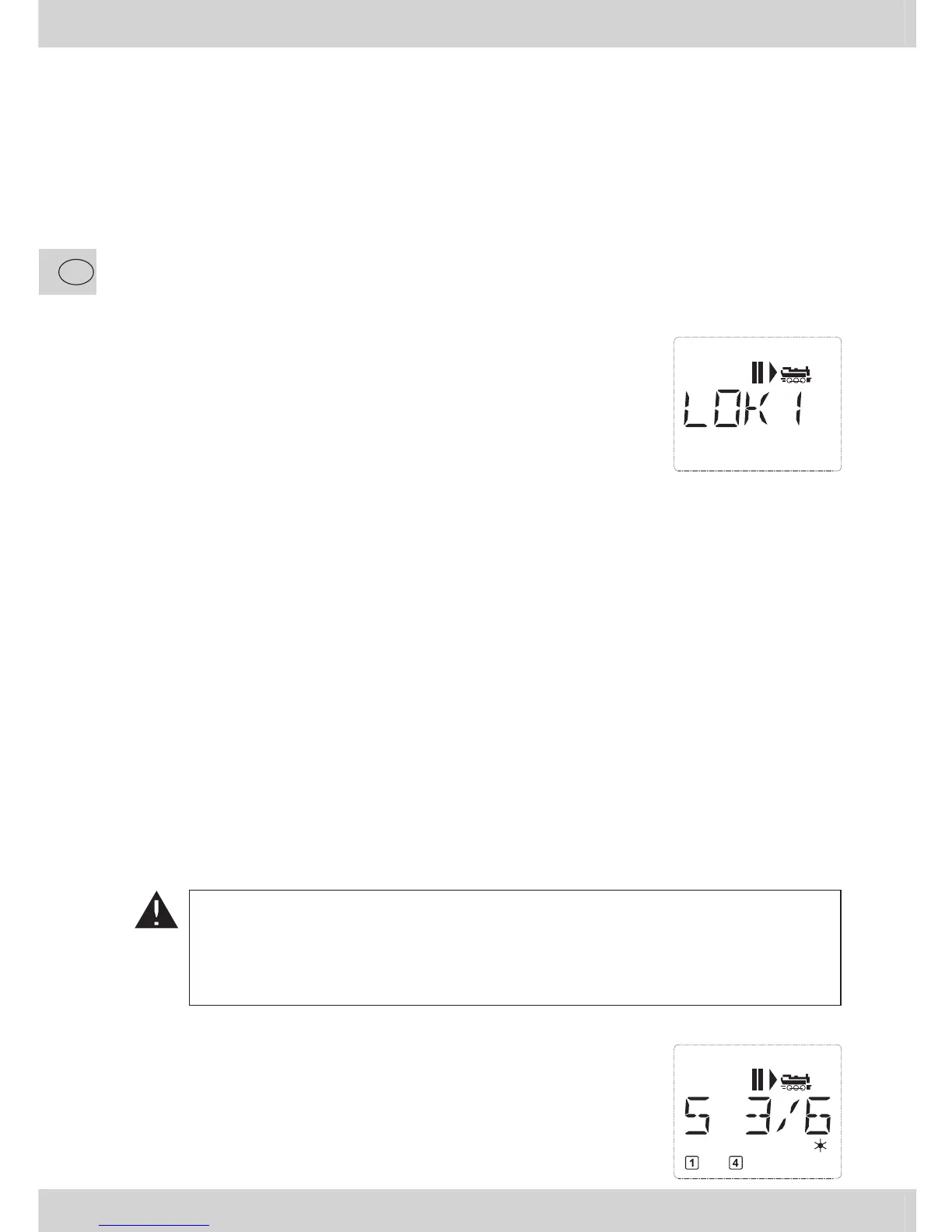
the library (“library mode” factory setting). The display screen shows
the standstill symbol “II” (i.e. the locomotive is stopped) together
with the right arrow”}”, the locomotive symbol, and the lettering
“LOK 1” so that you can drive the locomotive immediately.
If you have purchased the
multi
MAUS with a starter set, the locomo-
tive from the set is already fully programmed (including address). You
can also drive this locomotive immediately (section 3).
1.2. An already used
multi
MAUS
If you have already used the
multi
MAUS, the locomotive last controlled is displayed – regard-
less if you used the library or the address mode.
While scrolling with the “arrow keys” you see all settings of the traction operations, i.e. drive
direction, name or address of the locomotive, selected functions. (For experts only: If you unplug
and re-insert a slave
multi
MAUS, it recognizes this information unlike a master
multi
MAUS,
which only shows the standstill symbol “II” and the right arrow ”}”.)
2. Type of locomotive access
The
multi
MAUS has two locomotive access options:
– Using the factory-set library mode: see section 2.1.
– Using address mode, i.e. using the locomotive address directly: see section 2.2.
You switch between the modes by pressing the “shift” key together with the “locomotive / turnout” key.
2.1. Library mode
Locomotive library mode is a database which gives you the option of saving 64 locomotives
with a name (5 characters), locomotive address and the required speed steps.
Entries are only saved in the
multi
MAUS and not in the locomotive decoder. In order to co-
ordinate a loco within the library to a loco on the trackwork, they must be having the same
address.
The decoder locomotive address therefore always has to be changed using “CV1” (see
“Quick-programming” on page 42). You will be required to make the changes in the library as
well.
Screen display (in the example, the “S 3/6” series steam locomotive):
– Locomotive name (in this case “S 3/6”) and loco symbol,
– Direction of travel (in this case: the locomotive was or is stopped,
the arrow shows the last direction of travel),
– Light (in this case: the locomotive lighting is switched on),
– F1 and F4 (in this case: the activated locomotive functions).


 To Next Page