4. The emergency stop functions
When a situation becomes dangerous: You can use the “STOP“ key at any time to prevent a more
serious calamity immediately. In order to avoid shutting down the entire system however, you can
use the “selective locomotive stop” function to stop only the locomotive selected and displayed.
4.1. Emergency stop
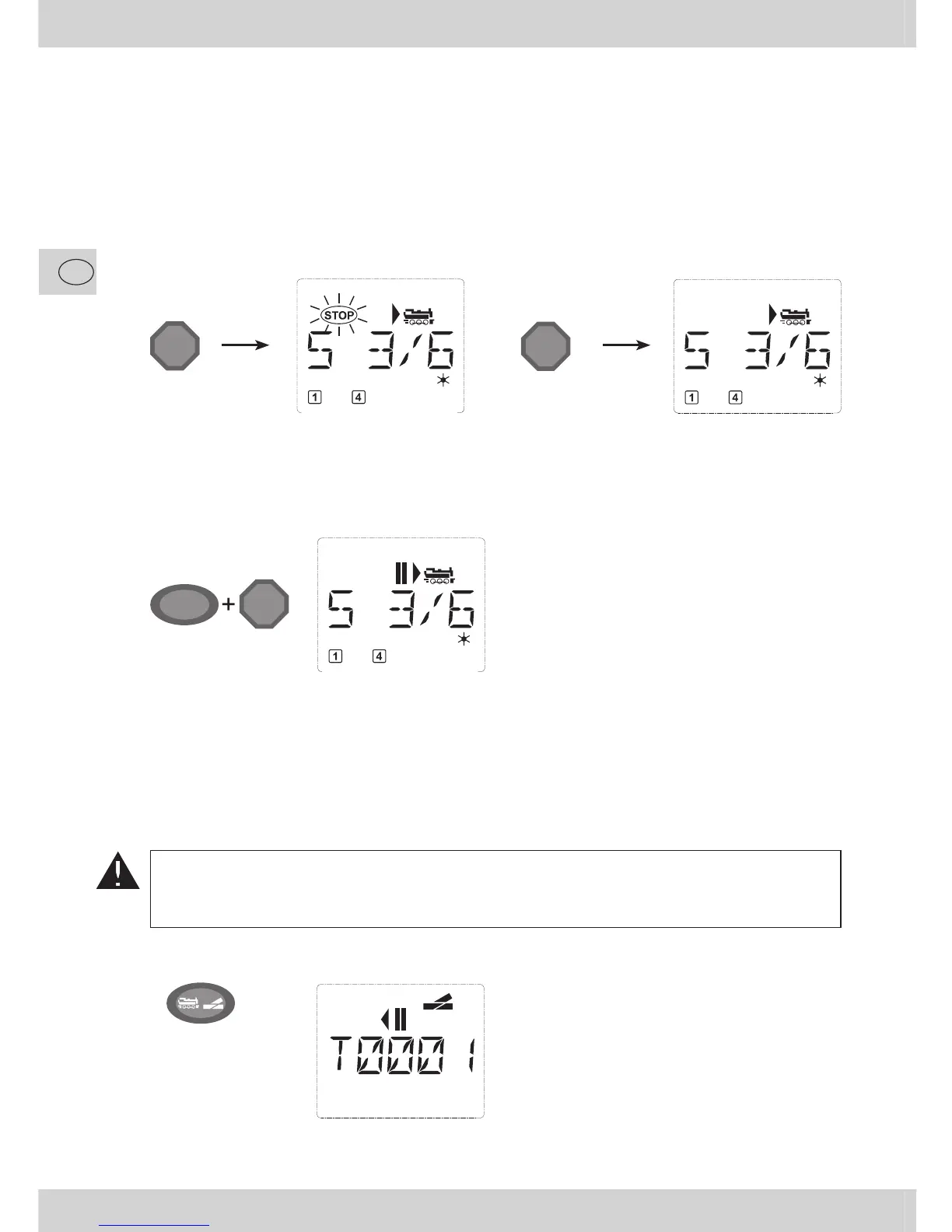
Pressing the “STOP” key immediately cuts the voltage to the track. The STOP symbol fl ashes on the
display screen. Press the “STOP” key again to supply the system with voltage again. All locos will
continue running with their previous speed. If you do not wish that, you must set each single or all
of them to zero speed during the emergency halt.
STOP
STOP
4.2. Selective locomotive stop
The selective locomotive stop only stops the locomotive currently being controlled by the
multi
MAUS.
The selective locomotive stop is released by turning the controller, the locomotive starts to move again.
Press the “Shift” and “STOP” key at the same
time. The locomotive stops immediately, the
standstill symbol “II” (and the last direction of
travel) is shown on the display screen.
Input Display message Comment
5. Turnout control
You can use the
multi
MAUS to control up to 1,024 digital turnout drives with genuine turnout ad-
dresses without having to use up a locomotive address. To do so, you can switch to turnout mode and
back at any time by pressing the “Locomotive / turnout” key. The last turnout used is always shown.
Drive mode is not interrupted in turnout mode. So the drive symbols of the last used locomotive
are shown on the display. However, the last locomotive to be active can be controlled using the
controller and an emergency stop can also be triggered.
When calling up turnout control for the fi rst
time, set of turnout 1 appears. In this case, as
with every other set of turnout called up for the
fi rst time, the complete turnout symbol appears
at the top right. The drive symbols (|,II) are from
the last used locomotive, so there can be a dif-
ference between the shown example and your
situation.
Input Displaymessage Comment
ñ
STOP


 To Next Page