O P E R A T I O N C H A P T E R 6
First we will configure MixW to connect through the virtual COM port pair to PowerSDR. Click
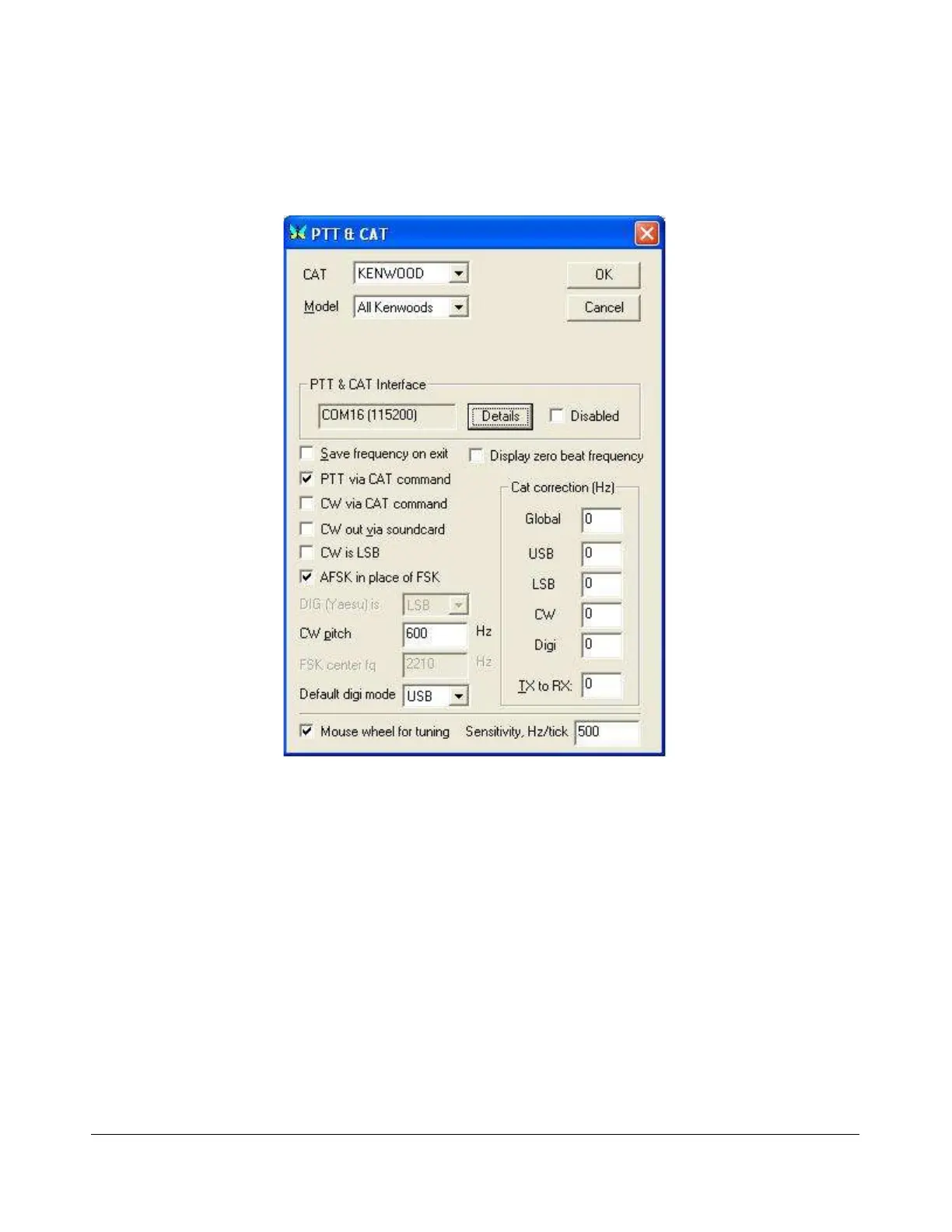
Configure on the Menu bar and then select TRCVR CAT/PTT to open the following screen (Figure
171).
Figure 171: MixW PTT & CAT
Configure the controls as shown above. MixW does not recognize the extended FLEX-5000 CAT controls
yet. Therefore we set it up as if PowerSDR were a Kenwood radio (In MixW All Kenwoods is the only
option available when CAT is set to Kenwood).
On the PTT & CAT Interface, click on the Details button to open the following form (Figure 172):
[The rest of this page has been left blank intentionally]
189 2003-2008 FlexRadio Systems



 To Next Page