H A R D W A R E I N S T A L L A T I O N C H A P T E R 1
(11) Powered Speaker/Line Out Jack
This standard 1/8” TRS jack provides line-level (-10dBV, 600 Ohms) receive - not computer - audio
1
.
For the FLEX-5000A (and if desired for the FLEX-5000C) connect this jack to an external audio
amplifier, to computer-type powered speakers or any other external equipment that accepts line-level
audio input. This jack provides two-channel (stereo) audio to enable binaural audio, MultiRX™
2
(single
receiver) or dual receive (with optional second receiver installed). The audio level can be set on the
FLEX-5000 Mixer Form (see page 148).
For more information on powered speakers used with FlexRadio products, refer to the Knowledge
Center article What Kind of Speakers Should I buy for my SDR? (search for speaker in our Knowledge
Center at http://kc.flex-radio.com/search.aspx).
(12) FlexWire™ Peripheral Interface Bus
FlexWire
3
is an intelligent, high speed, bi-directional communications interface that allows PowerSDR to
communicate with a host of peripheral devices such as antenna tuners, rotor controllers, band
switchers, etc. A family of FlexWire peripherals will be forthcoming from FlexRadio Systems. This is not
another “CAT” port, but an industry standard bidirectional communications bus based on the I
2
C
(pronounced “I squared C”) protocol along with AF I/O lines.
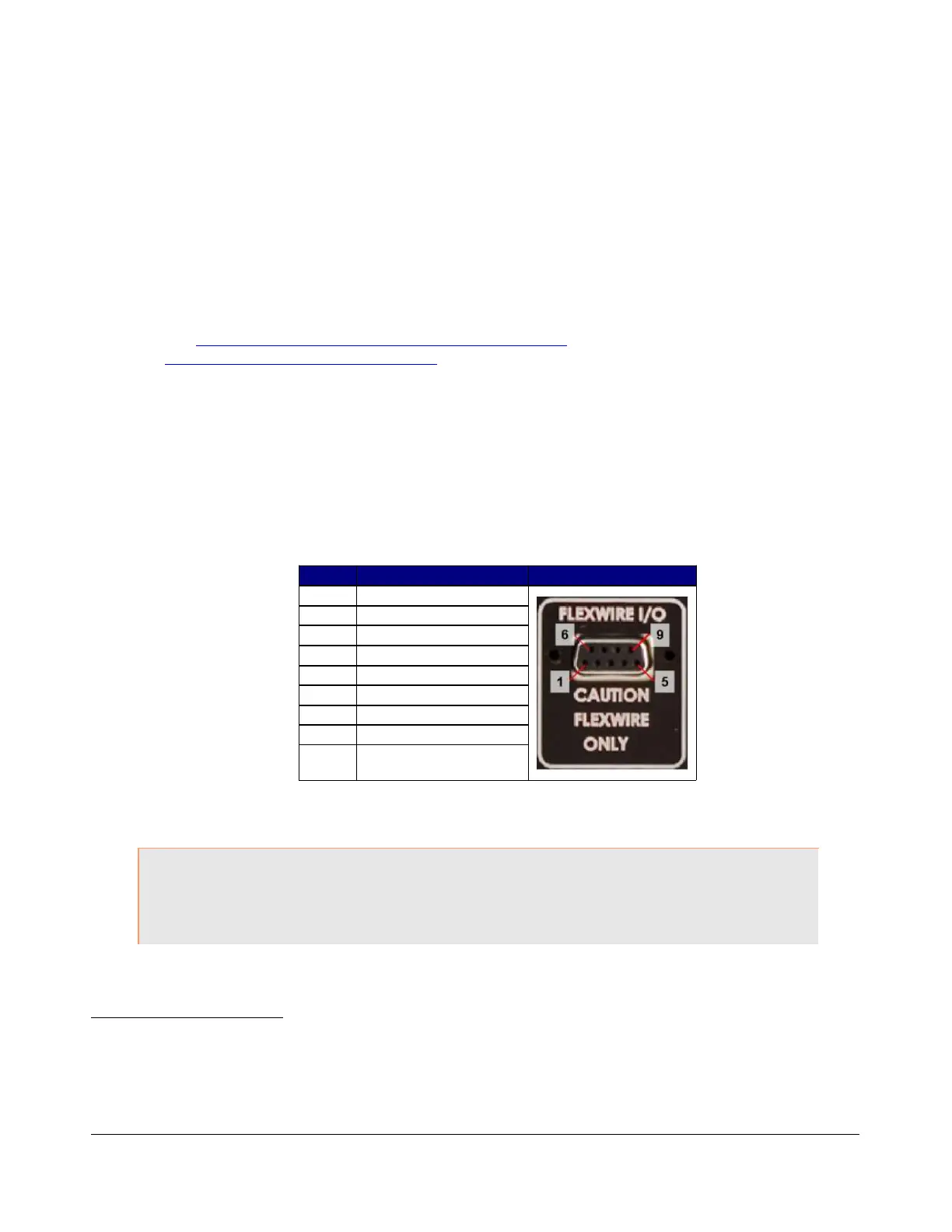
Table 5: FlexWire Connector Pin-Out
Pin # Signal Diagram
1
Ground
2
Line In
3
(Blocked Pin)
4
Interrupt (/INT 1)
5
Ground
6
I
2
C Clock (SCL)
7
I
2
C Data (SDA)
8
+13.8V, 1A max
9
Line Out (in parallel
with RCA Line Out)
Table 5 above Shows the FlexWire connector pin-out. Complete specifications and the programming
interface will be published to allow home brew and third-party add-on products.
CAUTION: Do NOT attempt to connect a PC serial port to the FlexWire connector
(pin 3 has been blocked to stop this). Doing so may void your
warranty and severely damage your FLEX-5000.
1
The FLEX-5000C and FLEX-5000D also have a built-in speaker
2
MultiRX is a trademark of FlexRadio Systems
3
FlexWire is a trademark of FlexRadio Systems.
10 2003-2008 FlexRadio Systems



 To Next Page