12
Clave 23+ Instruction Manual v1.4
6.5 Printer (Optional)
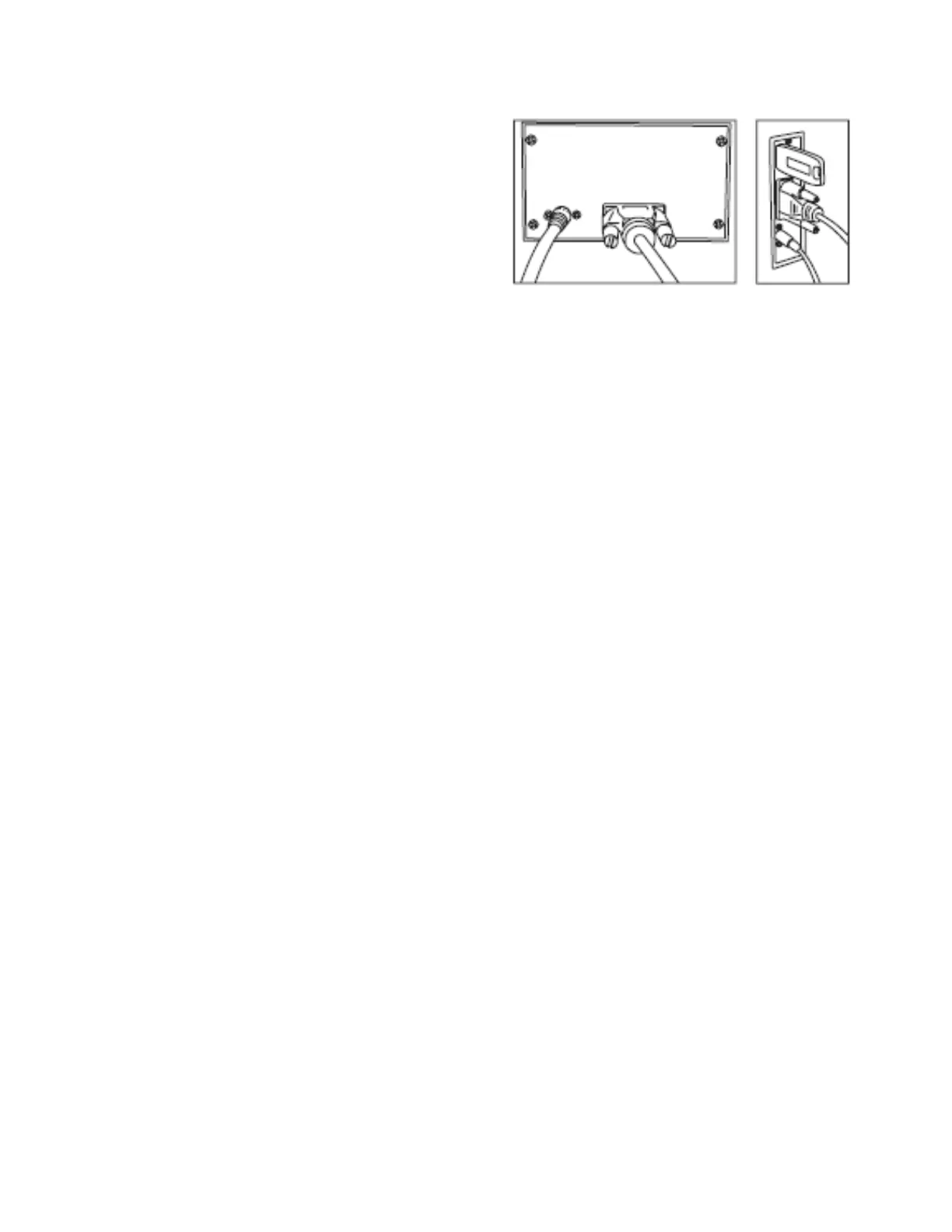
6.5.1 Connect the printer data cable.
6.5.2 Connect the printer power cable.
6.6 USB Drive (Optional)
A USB drive can be used as a method of storing
the sterilization cycle report. To do so, insert the
USB drive in the slot on the right side panel. The
information will be automatically recorded to the USB drive after the cycle has completed. The
name of the file is determined by the serial number of the machine and the cycle number. For
example: The serial number is E00001. The cycle number is 00012. The file name on the USB
drive is 01001200.txt. The first 2 numbers represent the machine serial number. The middle 4
numbers represent the cycle number. The last 2 numbers represent the error code. 00 is no error,
01 is E01….


 To Next Page