11
Clave 23+ Instruction Manual v1.4
6. Advanced Settings
6.1 Entering the Advanced Settings Function
6.1.1 Power the machine on while holding the SELECT button
for 5 seconds. This will enter into the advanced setting mode.
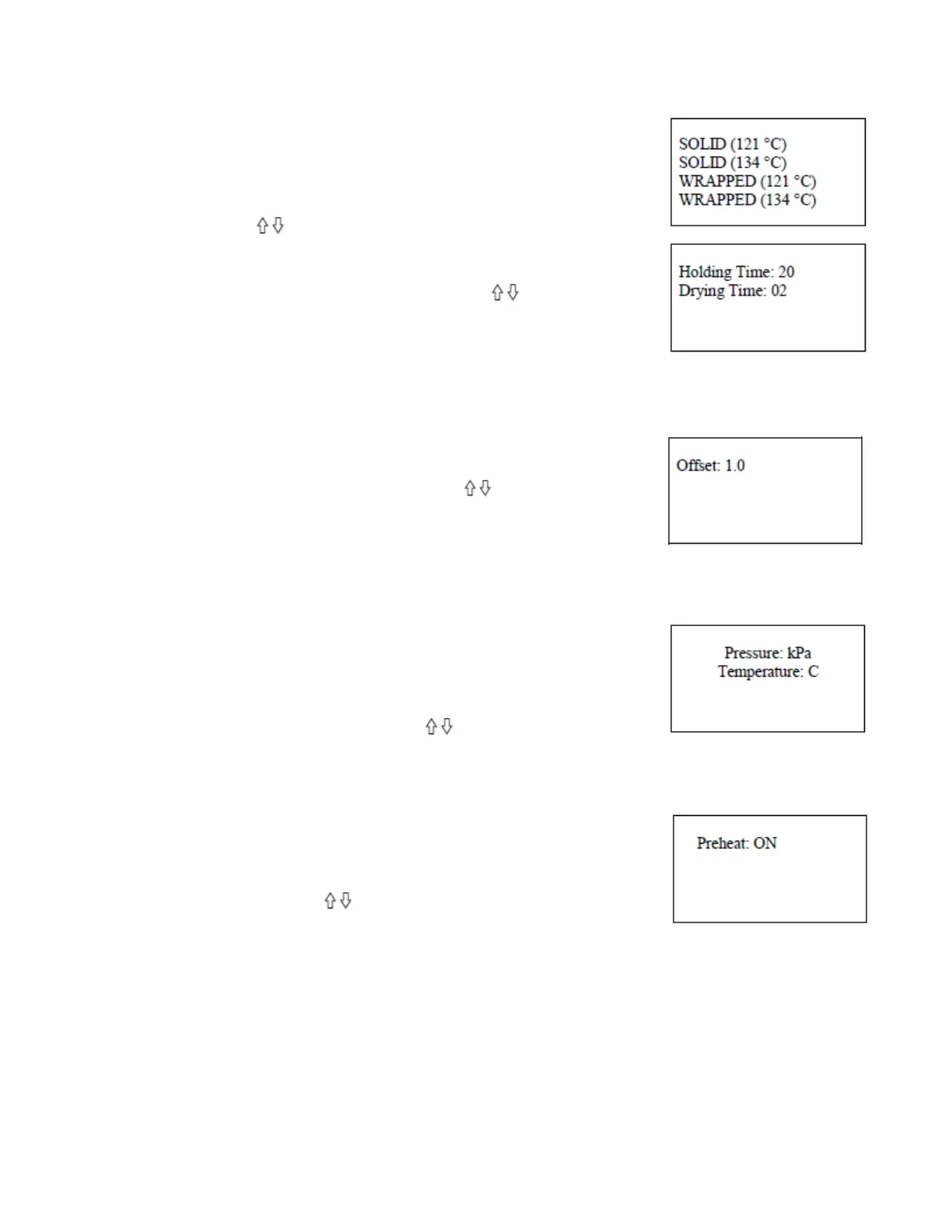
6.1.2 Press button to select a program. Press SELECT
button to enter the menu.
6.1.3 Select the item by pressing the SELECT button.
6.1.4 Adjust the parameter by pressing the button.
6.1.5 Holding time is 1 ~ 59 minutes.
Drying time is N-1-59 minutes. The N means there is no
vacuum state after the holding time.
6.1.6 After you finish adjusting the parameters, press the SELECT button to save and
return to the previous menu. Press the START button to cancel and exit.
6.2 Ambient Pressure
6.2.1 Select the “Ambient Pressure”.
6.2.2 Adjust the parameter by pressing button. Press the
SELECT button to save. Press START button to cancel and exit.
6.2.3 The value is 0 ~ 2. If the machine can’t enter the holding
time and is located in a high altitude location that is above 2km,
then you will need to adjust the ambient pressure.
6.3 Unit of Measure
6.3.1 Select the “Unit” to adjust the unit of temperature and
pressure.
6.3.2 Press SELECT button to enter the menu.
6.3.3 Select the unit by pressing SELECT button.
6.3.4 Change the unit by pressing button.
Pressure: kPa / bar / psi; Temperature: °C / °F
6.3.5 Press the SELECT button to save. Press START button to cancel and exit.
6.4 Preheat
6.4.1 Select “Preheat” to adjust preheat option.
6.4.2 Press SELECT button to enter the menu.
6.4.3 If you don’t want to preheat before starting the cycle, set
the value to OFF by button.
6.4.4 Press the SELECT button to save. Press START button to
cancel and exit.


 To Next Page