FD200CPU-7 Ver P Installation Instructions
5
Revision B, May 2008
Connectors/Inputs
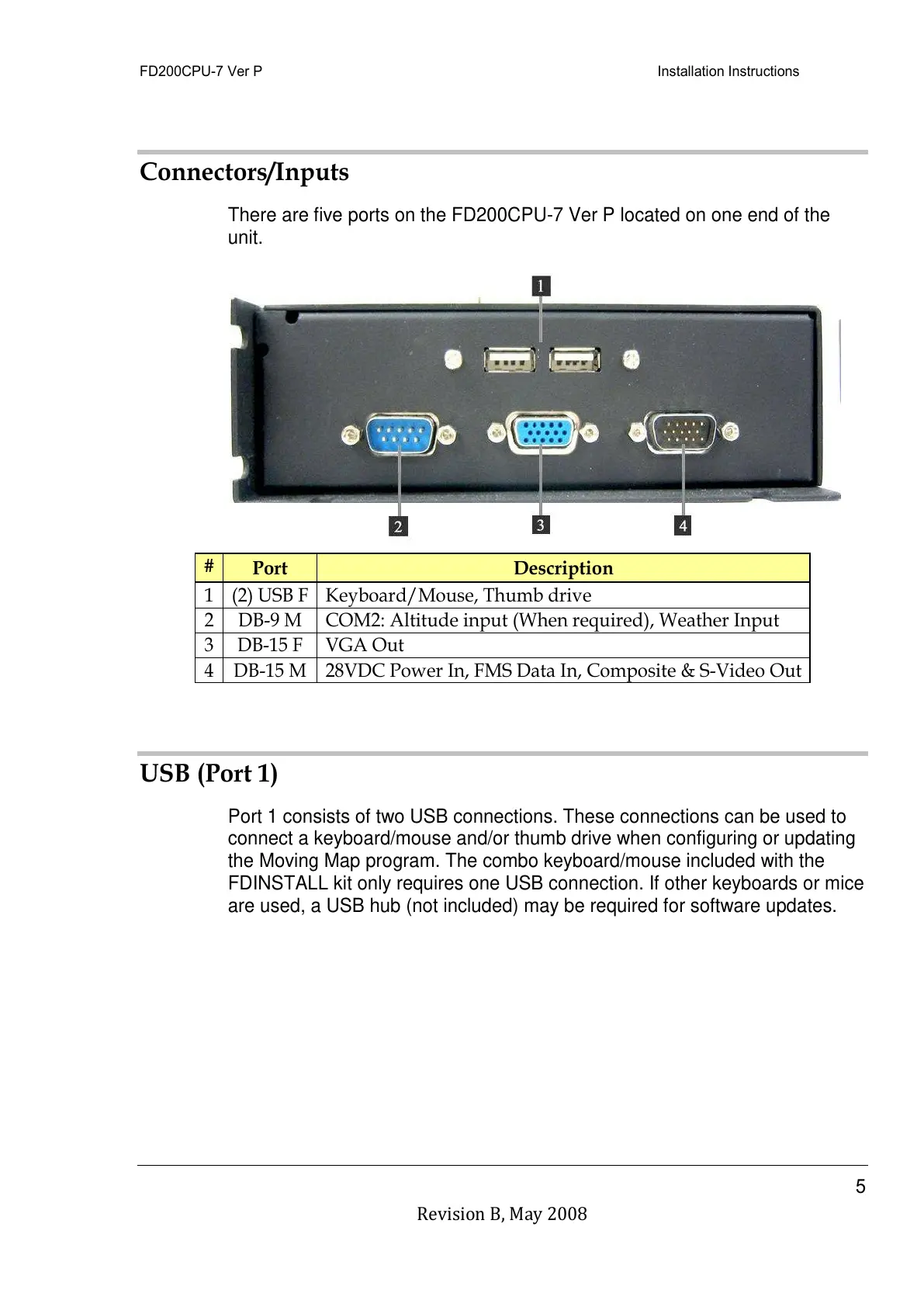
There are five ports on the FD200CPU-7 Ver P located on one end of the
unit.
Keyboard/Mouse, Thumb drive
COM2: Altitude input (When required), Weather Input
28VDC Power In, FMS Data In, Composite & S-Video Out
USB (Port 1)
Port 1 consists of two USB connections. These connections can be used to
connect a keyboard/mouse and/or thumb drive when configuring or updating
the Moving Map program. The combo keyboard/mouse included with the
FDINSTALL kit only requires one USB connection. If other keyboards or mice
are used, a USB hub (not included) may be required for software updates.
All manuals and user guides at all-guides.com



 To Next Page