FD200CPU-7 Ver P Custom User Waypoints
11
Revision B, May 2008
Custom User Waypoints
How to Input Custom User Waypoints
Custom User Waypoints can be easily inputted into the CPU with an attached
keyboard. While the Moving Map program is running, press the “U” key on
the keyboard.
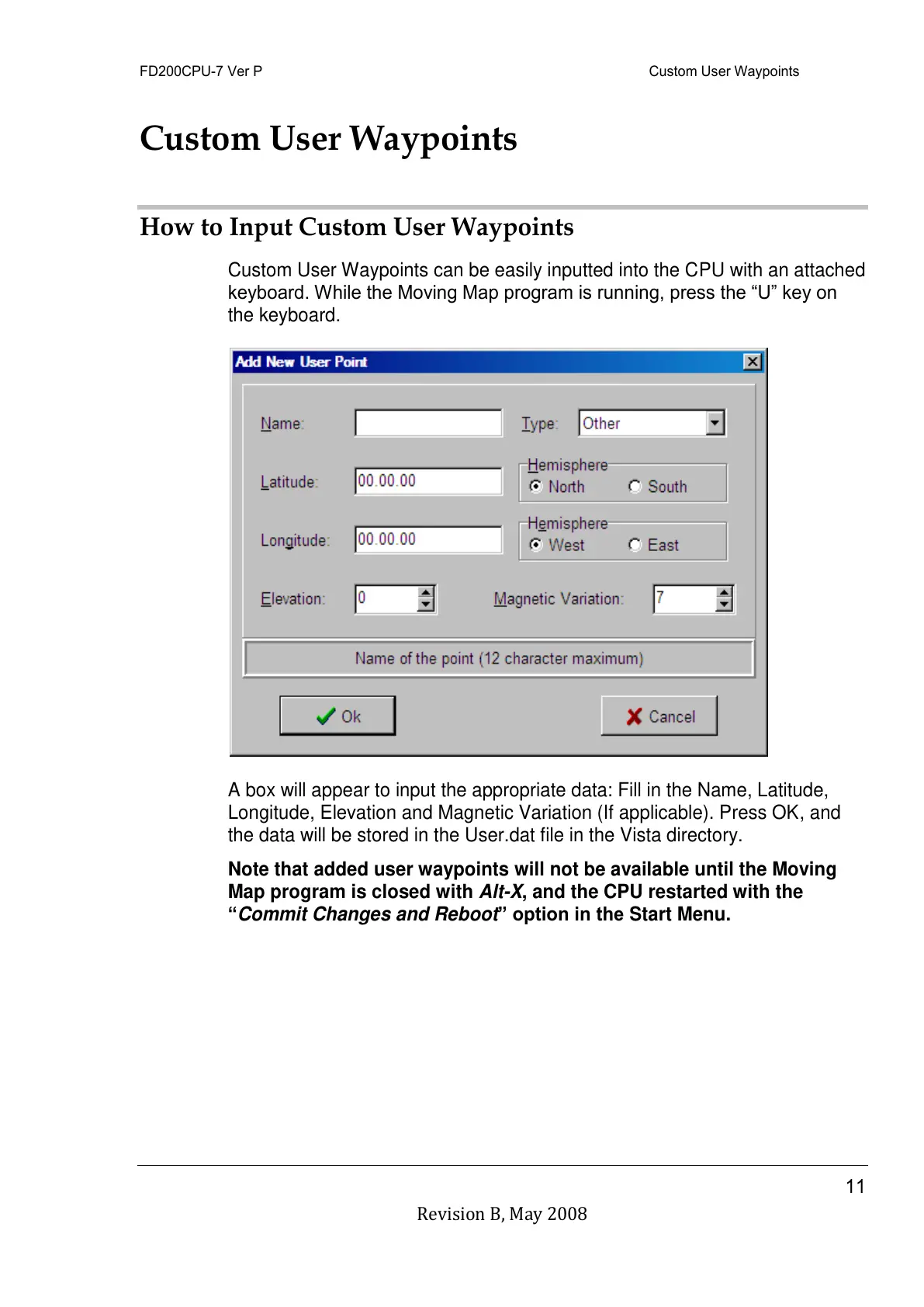
A box will appear to input the appropriate data: Fill in the Name, Latitude,
Longitude, Elevation and Magnetic Variation (If applicable). Press OK, and
the data will be stored in the User.dat file in the Vista directory.
Note that added user waypoints will not be available until the Moving
Map program is closed with Alt-X, and the CPU restarted with the
“Commit Changes and Reboot” option in the Start Menu.



 To Next Page